Bridal Shop & Salon Software: An Honest Buyer's Guide for 2026
First, the disclosure: we build CloudBridal, which is one of the products in this category. Read everything below knowing that. We've tried to write the guide we'd want if we were opening a boutique ourselves — what the category actually covers, how to evaluate any vendor including us, and when our product is not the right answer.
What "bridal shop software" actually means
Bridal retail has a workflow that almost no other retail vertical shares. A bride books an appointment, tries on sample gowns (one per style, in sample sizes), and says yes to a dress that doesn't exist yet. She pays a deposit on a special order with a 4–6 month lead time, returns for two or three fittings with alterations quoted and tracked, and picks up a finished gown — often paying in installments along the way, sometimes with a bridal party's worth of dresses attached.
Bridal shop software is the category of systems built around that lifecycle. You'll also see it called bridal salon software, bridal boutique software, or bridal store POS, depending on what the shop calls itself and which part the vendor leads with. In practice it covers:
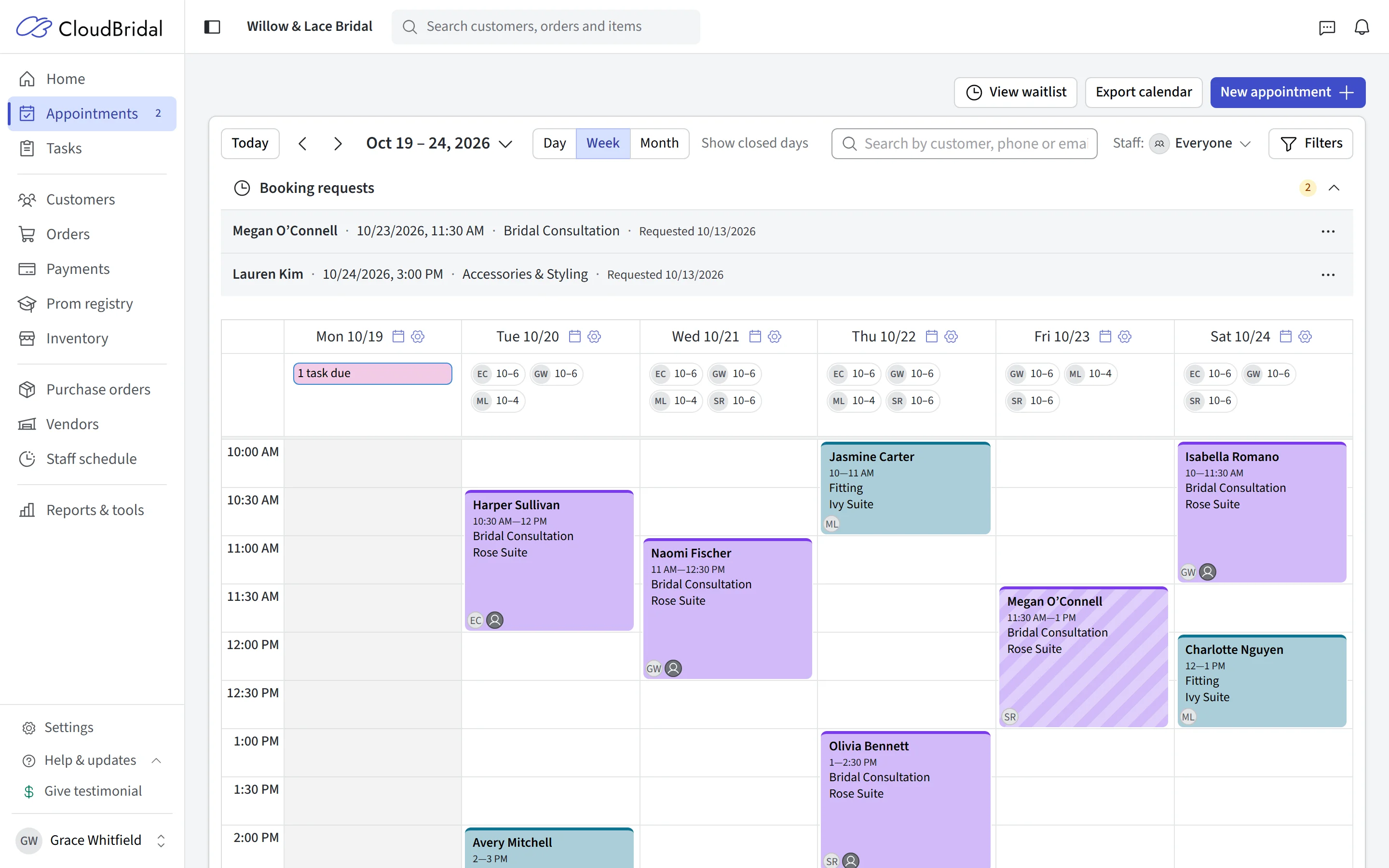
- Appointments — online booking, fitting rooms, stylist assignment, deposits against no-shows
- Point of sale and payments — deposits, balances, payment plans, card readers
- Inventory — samples vs. sellable stock, special orders, purchase orders to designers
- Customer records — wedding dates, measurements, preferences, the bridal party
- Alterations — quotes, seamstress assignment, fitting schedules
- Communication — reminders, follow-ups, and a portal or channel the bride actually checks
Why generic tools struggle here
Plenty of boutiques run on a patchwork: Square or Acuity for booking, a generic POS, spreadsheets for inventory, a texting app, and DocuSign for contracts. It can work, especially for a small by-appointment studio. But three seams consistently split:
- The special-order problem. Generic POS systems model "sell item from stock." Bridal sells a promise: a gown that will be ordered, arrive in months, be altered, and be picked up before a hard date. Tracking that in a system without the concept means spreadsheets and memory.
- The sample problem. Your rack inventory isn't your sellable inventory. Generic inventory counts can't distinguish "we have this style to try on" from "we have this dress to sell," which is how shops end up guessing at reorders.
- The re-typing problem. Every seam between tools is a place where a wedding date, a measurement, or a fitting time gets re-typed, or doesn't. Missed fittings are rarely a people problem. They're usually a systems problem.
If you're weighing a patchwork against an all-in-one, our tech stack audit adds up the subscriptions and the re-typing hours. It's free and doesn't require signing up for anything.
The 10-point evaluation checklist
Whatever you evaluate — including us — walk in with this list:
- Can I see pricing without a sales call? Published pricing is a good proxy for how the vendor will treat you later. If the price only exists inside a demo, budget negotiation energy for every future change.
- What's the true monthly cost? Ask specifically what's an add-on: client portal, e-signatures, SMS, API access, extra users, setup fees. The advertised price and the configured price can be very different. Get the full number in writing before comparing anything.
- Does it model special orders natively? Ask to see a gown go from "yes" to purchase order to arrival to pickup in the demo.
- How do appointments handle deposits? No-show protection (booking fees or card-on-file per appointment type) should be built into booking, not bolted on.
- Where do alterations live? On the order with the balance, or in a side spreadsheet? Can a seamstress see her queue?
- What does the bride see? A portal for payments, progress, and signatures reduces "just checking in" calls more than any other feature.
- Is there a contract? Month-to-month means the vendor has to keep earning your business. Multi-year contracts mean they don't.
- How does your data get in? Ask what a migration costs and exactly which records it covers, and get the answers in writing before you hand over your client list.
- Who answers support? In a niche this small, support quality is the product. Ask who you'd actually be talking to.
- Does it handle your oddities? Prom registry? Tuxedo rentals? Consignment? Multi-store? Make your weird thing part of the demo.
The honest landscape
The real category is small. As of mid-2026, these are the options a US boutique will realistically shortlist.
BridalLive is the long-established incumbent, in the market for well over a decade with the largest install base. Its genuine strengths are bundled marketing services, ecommerce and website offerings, and the maturity that comes with age. The trade-offs to check for yourself: pricing is quote-based rather than published, and capabilities like the client portal have been priced as separate add-ons, so evaluate the configured monthly total rather than the base price. Its demo-based sales process suits owners who want a guided purchase. (We maintain a detailed CloudBridal vs BridalLive comparison, with the bias disclosure that implies.)
CloudBridal is us. It's an all-in-one covering the full lifecycle above — booking with deposits, POS and payment plans, sample and special-order inventory, alterations, client portal, e-signatures — with published pricing from $80/month, no contracts, a 30-day self-serve trial, and a done-for-you data migration service with its price published too. The honest trade-offs: we don't offer bundled marketing services or build websites like BridalLive does, and we're a smaller, newer company than the incumbent. That cuts both ways — you get the people who built the product answering support, but a shorter track record.
Poppy Bridal is a newer entrant with a single flat-rate plan (listed at $199/month as of mid-2026), unlimited users, and an iOS app. The flat-rate simplicity appeals to owners who hate tiered pricing. Evaluate feature depth against the checklist above for your specific workflow.
A generic-tool stack — Square or Acuity, spreadsheets, a texting app — is genuinely the right answer for some shops. If you're a tiny by-appointment studio with no special-order volume and no staff, $50–100/month of generic tools may be all you need until the workflow outgrows them. The signal to move is the first time a special order or fitting falls through a seam between tools.
However polished any vendor's website looks, established or brand new, apply checklist items 1, 2, and 8 without exception: published pricing, the true configured cost, and what moving your data in involves. And ask to see the actual product handling a special order before sharing your client data with anyone.
What it should cost
As of 2026, realistic all-in monthly costs for an independent boutique run roughly $80–$400/month depending on vendor and configuration, with the wide top end mostly reflecting add-on pricing at quote-based vendors. A more useful framing than any percentage-of-revenue rule: a single prevented no-show or saved special-order mistake usually covers the month. The expensive option isn't any of these products — it's the patchwork whose seams eat staff hours. (Again: do the audit.)
FAQs
Do I need bridal-specific software, or will a hair-salon booking app or generic POS do? The test is special-order volume. If most of what you sell exists in stock and leaves the same day, generic retail tools can work. Once your revenue runs through made-to-order gowns with fittings and staged payments, the generic model starts costing you in workarounds.
What should I look out for in pricing? Add-ons. Portals, e-signatures, texting, and extra users can each carry their own price at some vendors, so the configured total may look nothing like the advertised one. Get the full configured quote in writing before comparing anything.
How painful is switching systems? Less painful than most owners fear if the vendor does the migration for you (ask exactly what it costs and which records it covers), and worse than anyone admits if you have to re-type it yourself. Either way: do it in your slow season, run both systems in parallel for a week or two, and export a full backup from the old system before cancelling.
Is there truly free bridal shop software? Nothing credible that covers the bridal lifecycle. Free tiers of generic booking tools exist and are fine for a studio just starting out — see the generic-stack option above. Be wary of anything free that wants your full client database.
Evaluating options? Score your current setup with the free bridal shop operations scorecard first.