Customer communication
Pick up the conversation, whoever is at the desk.
Keep texts and emails on the customer record. Prepare reminders and follow-ups with your shop’s wording, and let your team see the conversation in context.
30-day free trial · No credit card required · Compare plans
“The business ran with just sole ownership - one person doing everything but as soon as we added a second staff member - text messages and customer communication was impossible to share.”

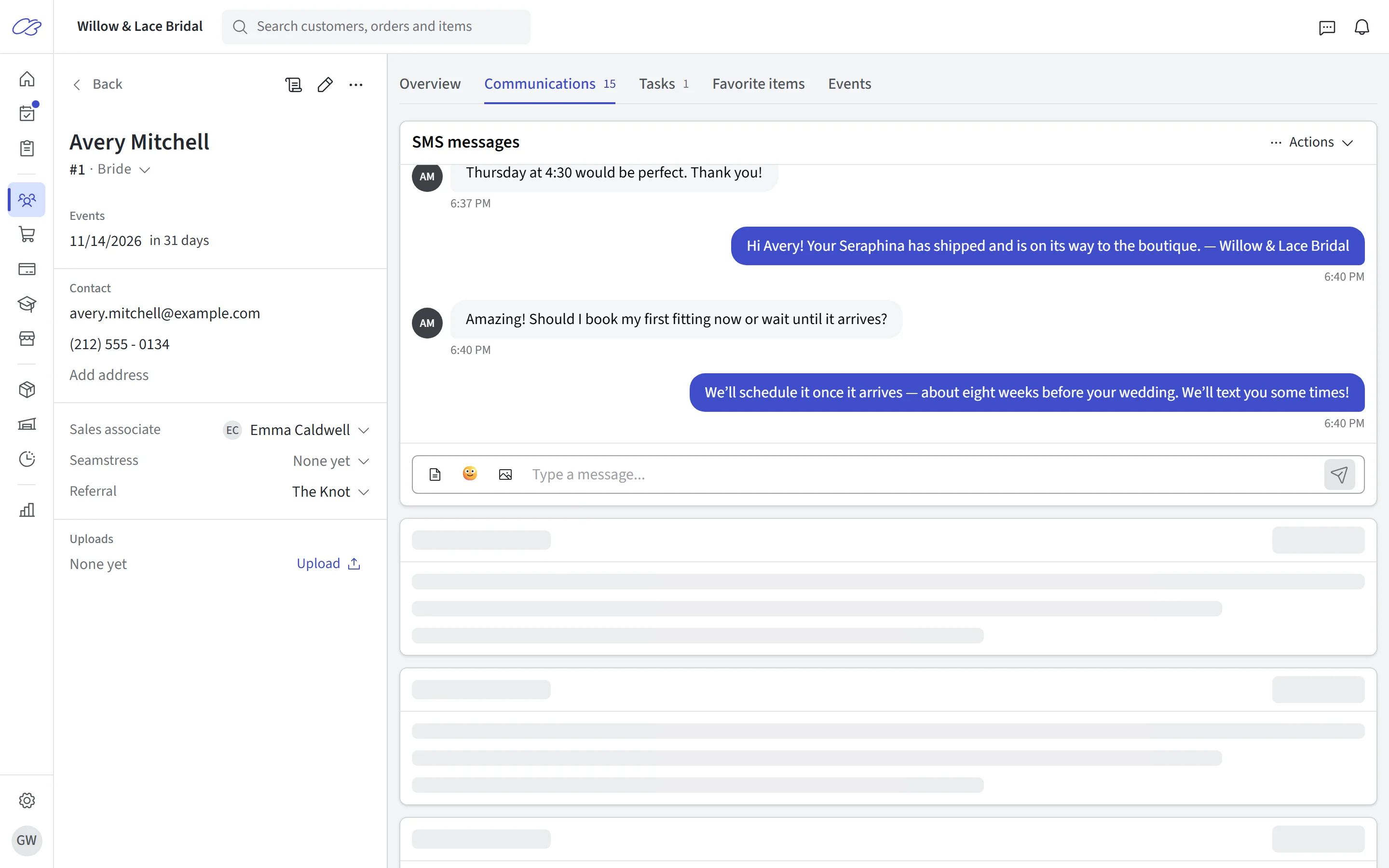
Two-way texting
Text brides without giving out your cell number
Give brides a way to reply by text. CloudBridal gives your shop two-way SMS from inside the system, tied to each customer’s record — so every conversation is visible to whoever picks it up next, and nobody’s personal phone becomes the shop line.
Delivery status is right there in the thread, so you know whether your message landed instead of wondering.
- Two-way SMS conversations on the customer profile
- Email and text in one timeline — no "what did we tell her?"
- SMS and email templates for the messages you send every day
- Delivery status visible on every message
Automation
The follow-ups you keep meaning to send
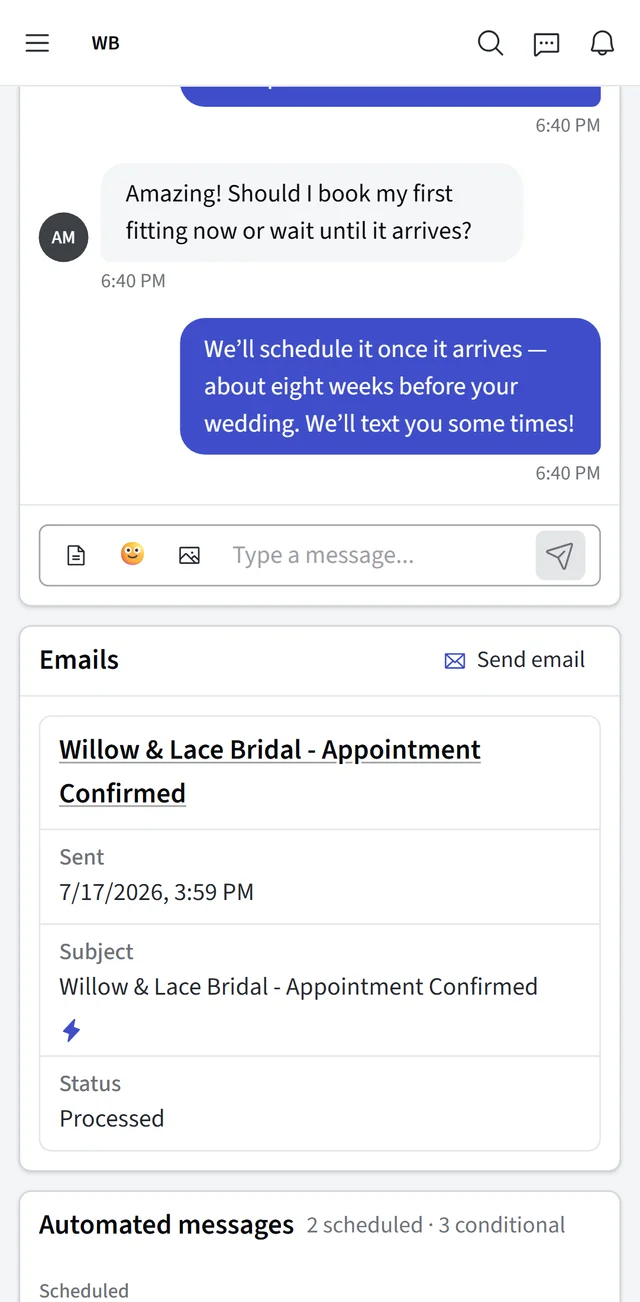
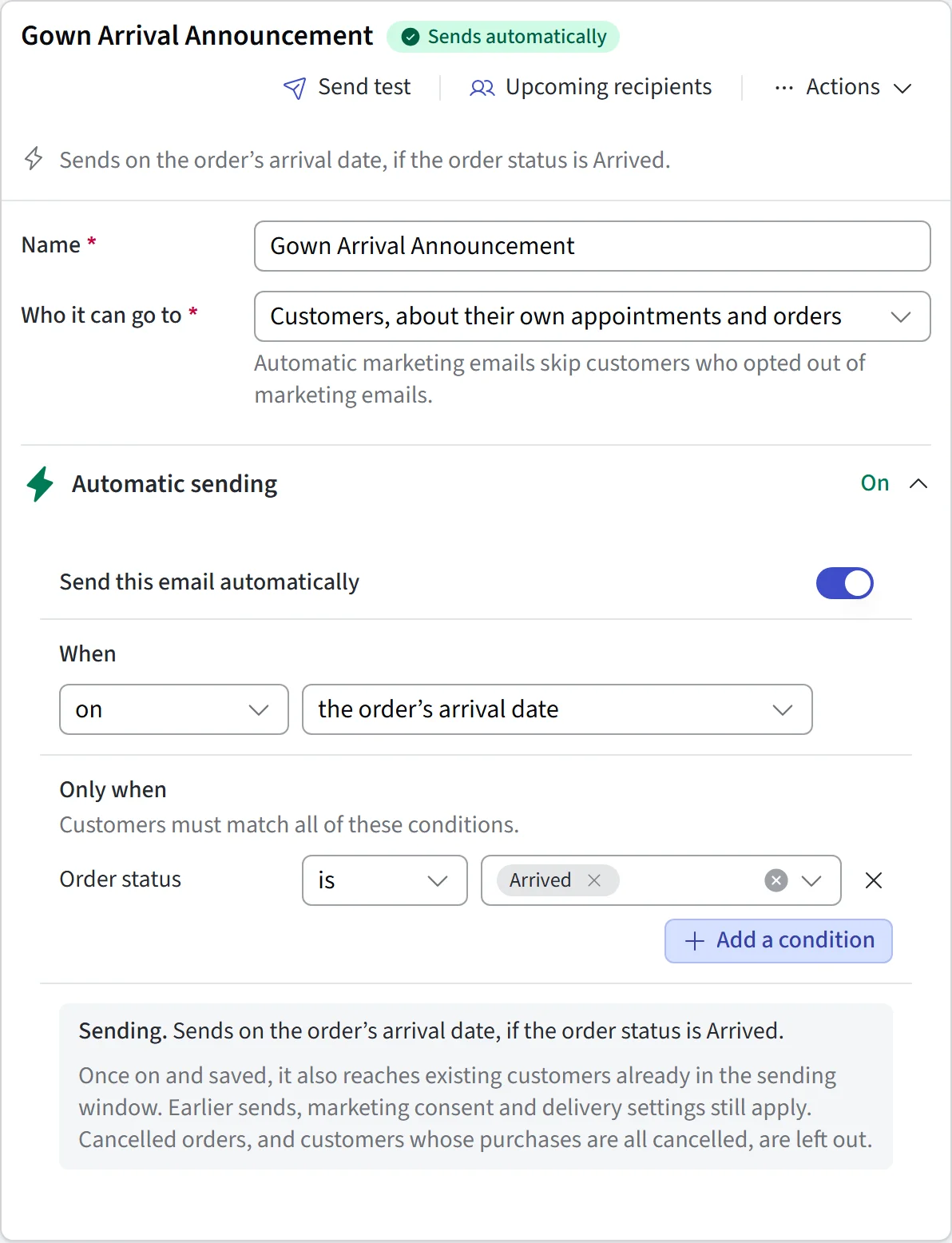
Every boutique knows the messages that matter: the reminder the day before the appointment, the thank-you after the first visit, the arrival notice when the gown lands, the review request after the wedding. CloudBridal sends them automatically on triggers you configure — even on the Saturdays your floor is slammed.
Messages personalize themselves with merge fields — her name, her appointment time, her order details — so an automated reminder still reads as if it were written for her.
- Appointment reminders and confirmations with reschedule links
- "Your gown has arrived" notices the day the order is received
- Post-appointment follow-ups for brides who haven’t decided yet
- Payment reminders written from your own templates
Automated email is built in. Fully automated SMS sending uses your own connected Twilio account — see the FAQ below.
Templates
Use templates with each bride’s details
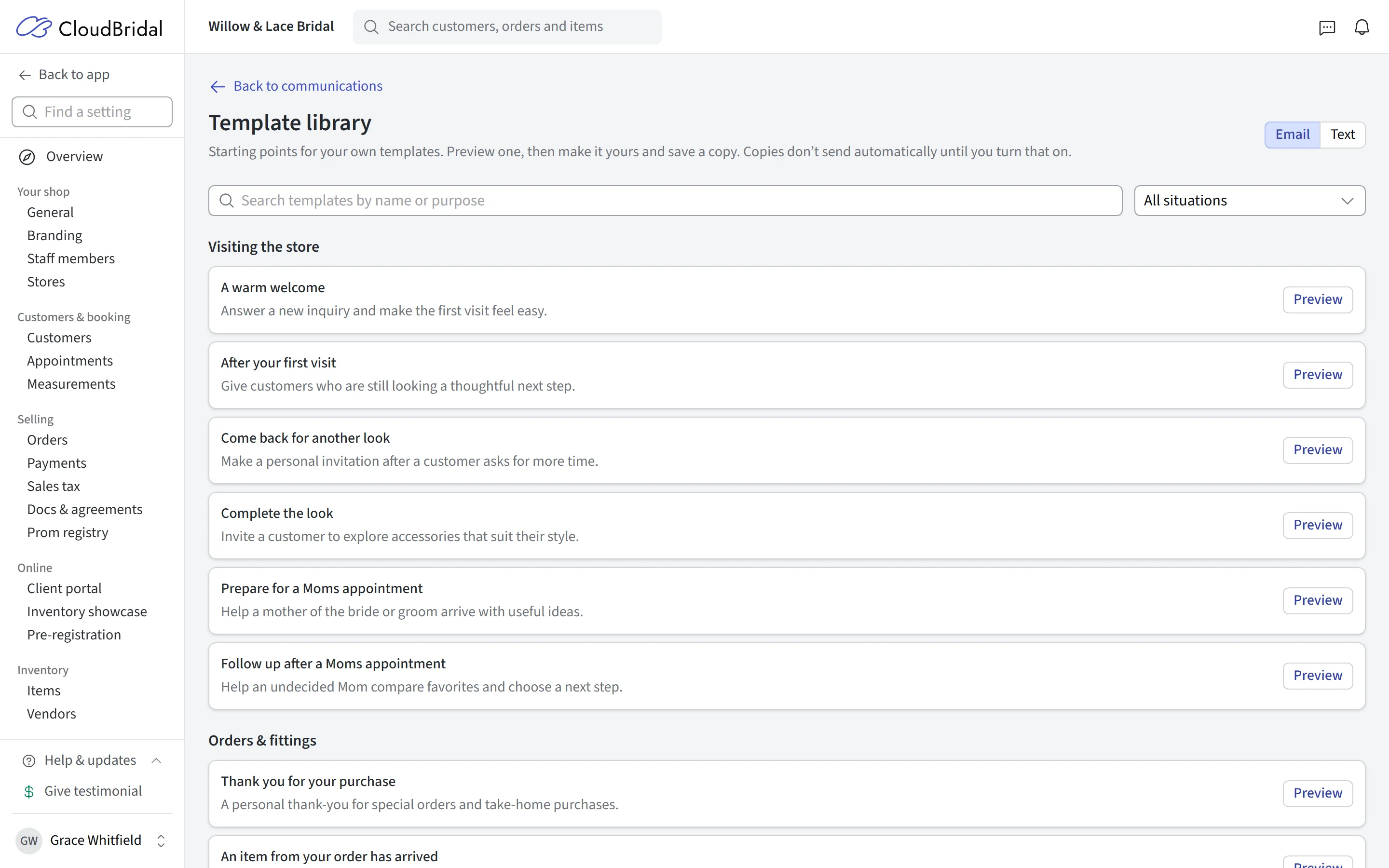
Write the welcome email, the appointment recap, and the congratulations note once — with your shop’s voice and branding — and reuse them manually or in automations.
- Rich email templates with your branding and merge fields
- A library of ready-to-use email and SMS starters written for bridal boutiques
- SMS templates for the short messages you type ten times a day
- Use templates manually in one click, or attach them to automations
Built-in guardrails
Stay in control of the follow-up
You choose the audience, timing, and message. Quiet hours and STOP replies are taken care of for every automated text.
Quiet hours
Opt-out handling
Merge fields
Smart triggers
Email included
One timeline
Good to know
Frequently asked questions
Common questions about customer communications in CloudBridal.
What kinds of messages can CloudBridal automate?
Will reminders actually reduce no-shows?
Can customers text us back?
Do I need anything extra for SMS automation?
How many automated templates can I have?
What happens if a bride opts out?
Can automated messages be personalized?
Do automated and manual messages get mixed up?
Keep exploring
Related features & resources
See how this connects to the rest of CloudBridal.
Appointment scheduling
Automation shines brightest on appointments — reminders, confirmations, and follow-ups end to end.
Why templates matter
Our guide to writing email and SMS templates that make every bride feel like your only bride.
All features
Communication is one piece — see the full platform from inventory to payments to reports.
Set up your first appointment reminder.
Start your 30-day free trial — no credit card required — and let the follow-ups send themselves.