Inventory showcase
Let her find a favorite before her first visit.
Put a curated collection on your own website. Show the gowns and details you choose, and give brides a way to share what they would love to try on.
30-day free trial · No credit card required · Compare plans
Browse a sample showcase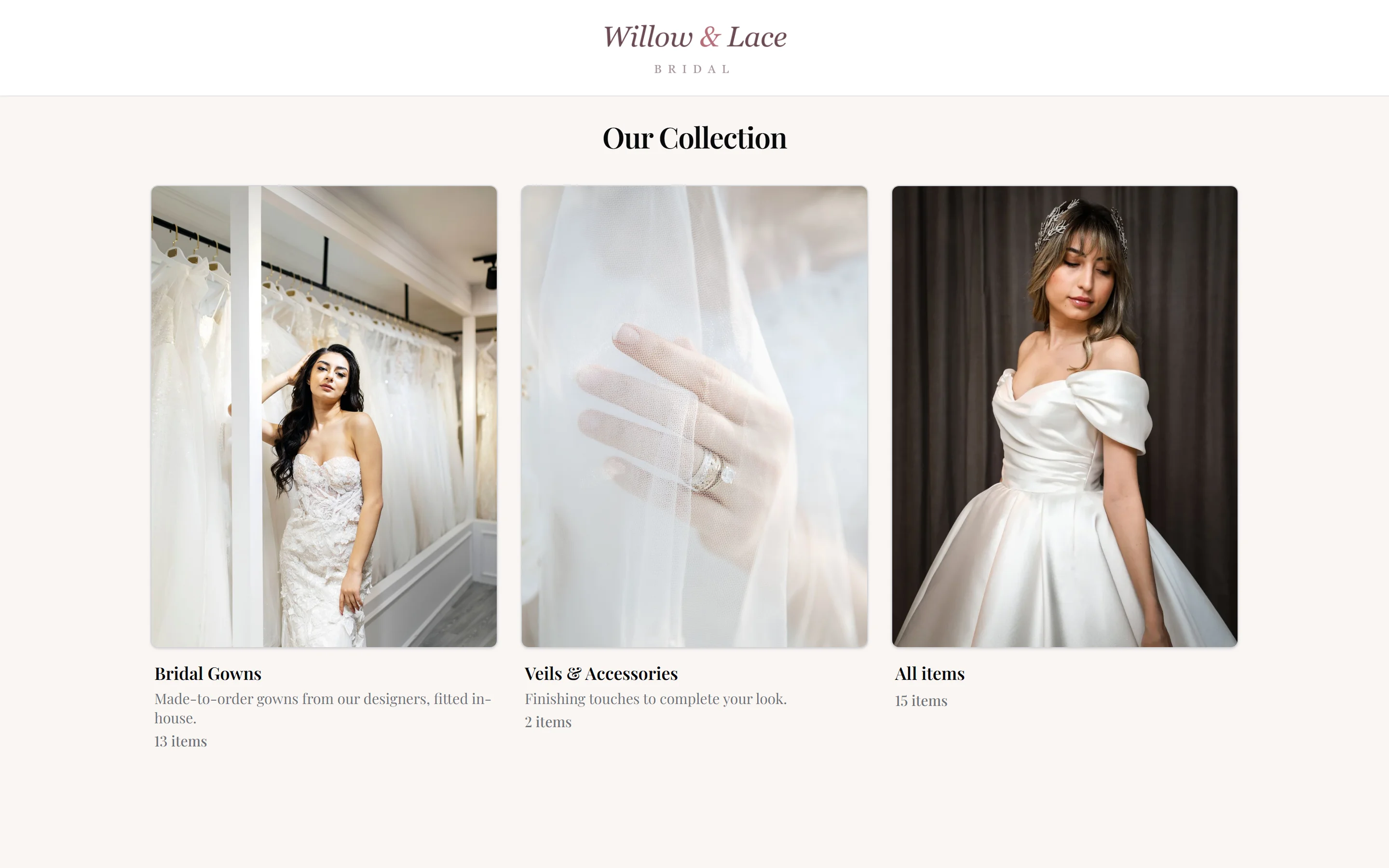
On your site
Your website can finally show what is on the rack
Most boutique websites have beautiful photos of the shop and nothing a bride can actually browse. Adding gowns means emailing whoever built the site, waiting, and paying — and it is out of date the week you sell one.
Your collection now appears on your own page, under your own header and navigation, and keeps itself current. Setup is a single block you paste once — most website builders have a place made for exactly this, and it is a five-minute job for whoever looks after your site.
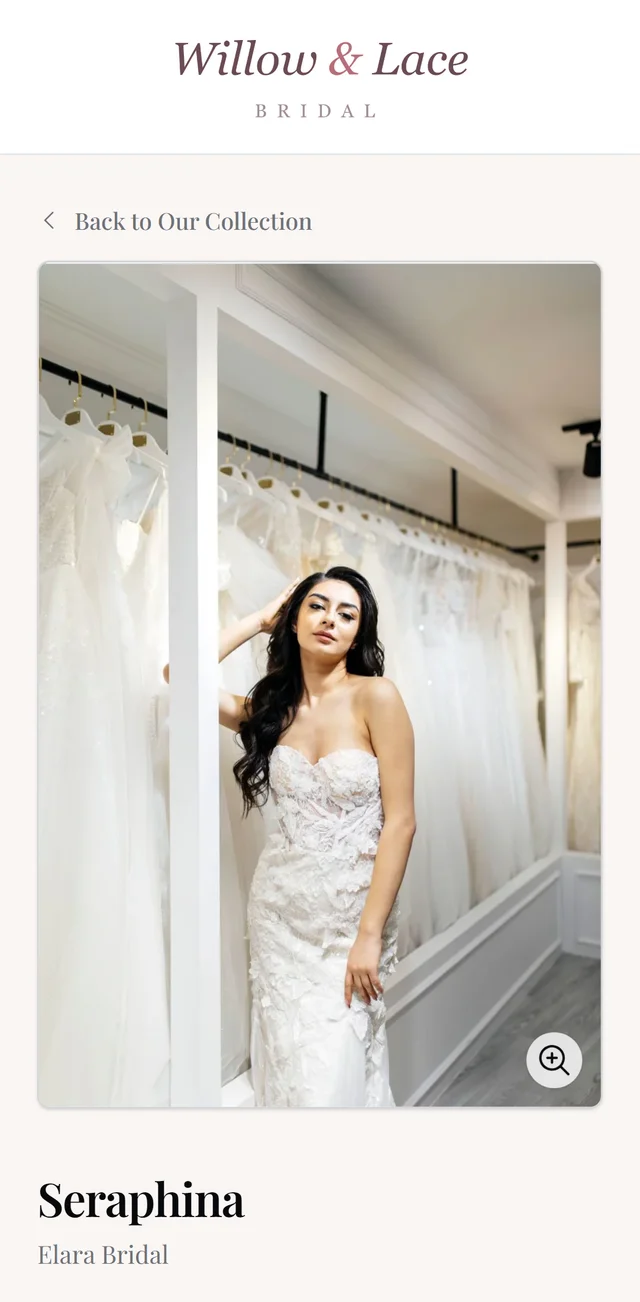
- Brides never leave your site, so the visit stays yours
- Put a single collection on its own page — a sample-sale page shows only sample-sale gowns
- No website at all? Share the link on Instagram or in an email instead
- Nothing to maintain — it follows your stock on its own
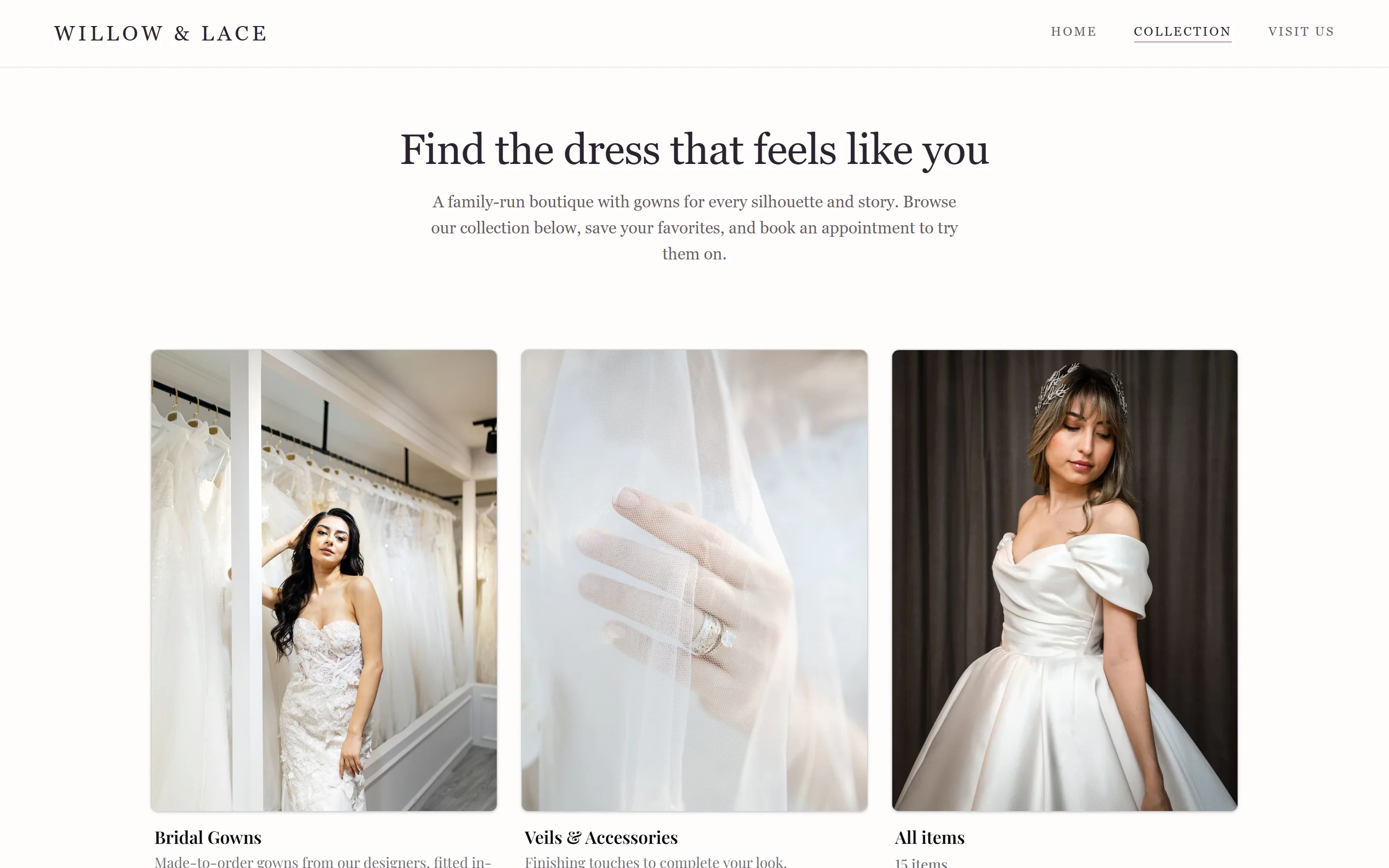
Every gown, its own page
Let brides save and share their favorites
Every item in your inventory gets a short link you can text or email — she lands straight on that gown, not on a catalog she has to search. Perfect for the follow-up after an appointment: the dress she keeps thinking about, one tap away.
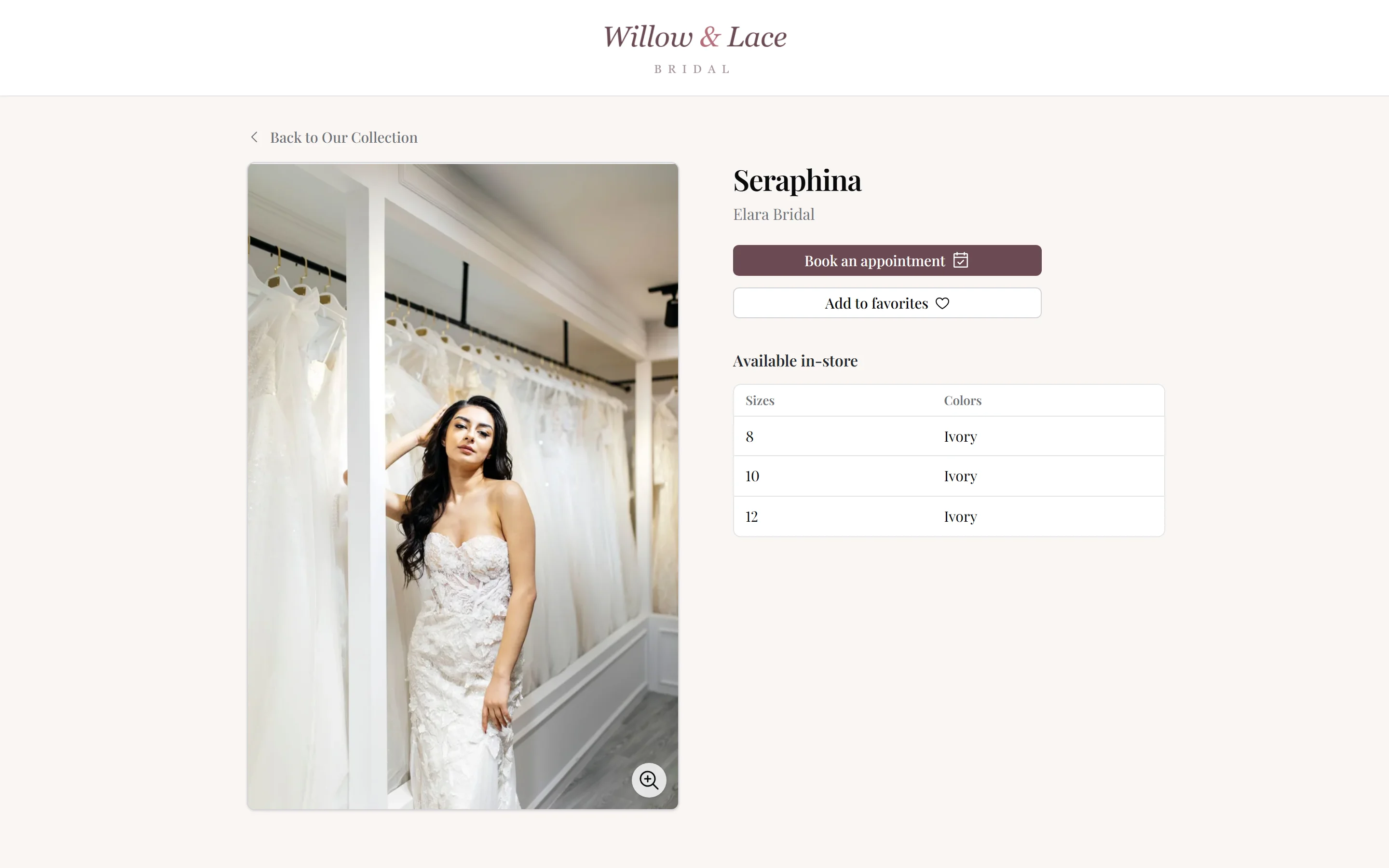
On the gown page she can save it to her favorites and book an appointment without hunting for your calendar. Favorites she picks at home merge with the ones your stylist saved in store, so the gowns are pulled before she arrives.
- A short, clean link per gown — good for texts, emails, and social bios
- Book an appointment straight from the gown she is looking at
- Favorites merge with the ones your stylist picked in store
- Optionally let her email you about a specific gown
One source of truth
Publish gowns from your existing inventory
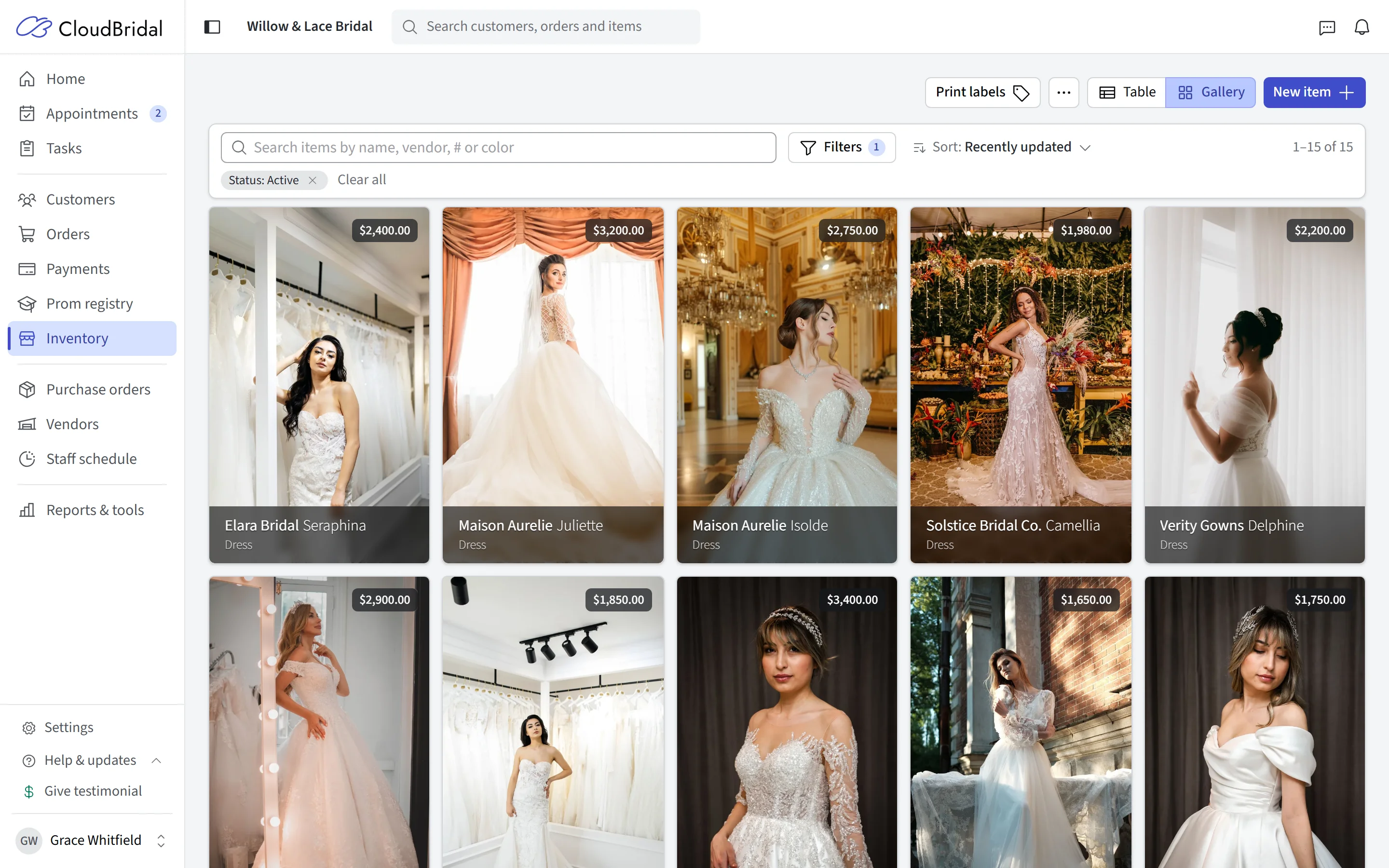
The showcase reads the same inventory your team works in every day. Receive a new gown and it appears. Sell the last one and it stops being advertised. There is no export, no sync button, and no second catalog quietly drifting out of date.
That also means the photography, designers, sizes, and colors your staff already maintain are the ones brides see — the work you do for the shop floor doubles as the work you do for the website.
- Publishes from the inventory your team already maintains
- New stock appears automatically; sold stock stops advertising itself
- No export, no second catalog, no sync step to remember
Your call
Show the dresses, not the price list
Most boutiques would rather a bride fall for the dress and hear the price from a consultant, so the showcase keeps prices private unless you decide otherwise. The same goes for anything else you would rather not publish — a designer you are not allowed to advertise online, a fabric you have discontinued, one particular gown.
Shoppers get filters for the things brides actually ask about — silhouette, fabric, neckline, embellishment — built from the attributes already on your gowns, and you choose which of those values ever appear.
- Prices stay private by default — show them only if you want to
- Hide a single gown, or everything from a designer you cannot advertise
- Shopper filters for the things brides ask about: silhouette, fabric, neckline, embellishment
- Turn the whole showcase off and the public pages go with it
And the rest
Choose what brides see on your website
The showcase is part of CloudBridal, not a website plugin you have to keep alive separately.
It goes on your own site
A link per gown
Curated collections
Favorites that reach you
Book from the gown page
Made for the phone
Nothing goes public by accident
Updates from your inventory
Optional inquiries
Good to know
Frequently asked questions
Common questions about the inventory showcase in CloudBridal.
Do I need my own website to use the inventory showcase?
How do I put the showcase on my website?
Can I show just one collection on a page?
Do I have to show prices?
Can I hide specific gowns or designers?
Does the showcase stay in sync with my inventory?
Can brides book an appointment from the showcase?
Which plan includes the inventory showcase?
Keep exploring
Related features & resources
See how this connects to the rest of CloudBridal.
Inventory management
The showcase publishes from your real inventory — the same records, photography, and stock levels your team maintains.
Client portal
Favorites brides save in the showcase follow them into the portal, alongside orders, payments, and documents.
Appointment scheduling
Brides book straight from the gown page, using the same scheduler as your booking page.
Ready to let brides browse before they book?
Start your 30-day free trial — no credit card required — and publish your first collection this week.