Client portal
Give brides a place to check their order and pay.
A branded page where she can follow her order, pay a balance, and sign documents, while your team stays focused on the visit in front of them.
30-day free trial · No credit card required · Compare plans
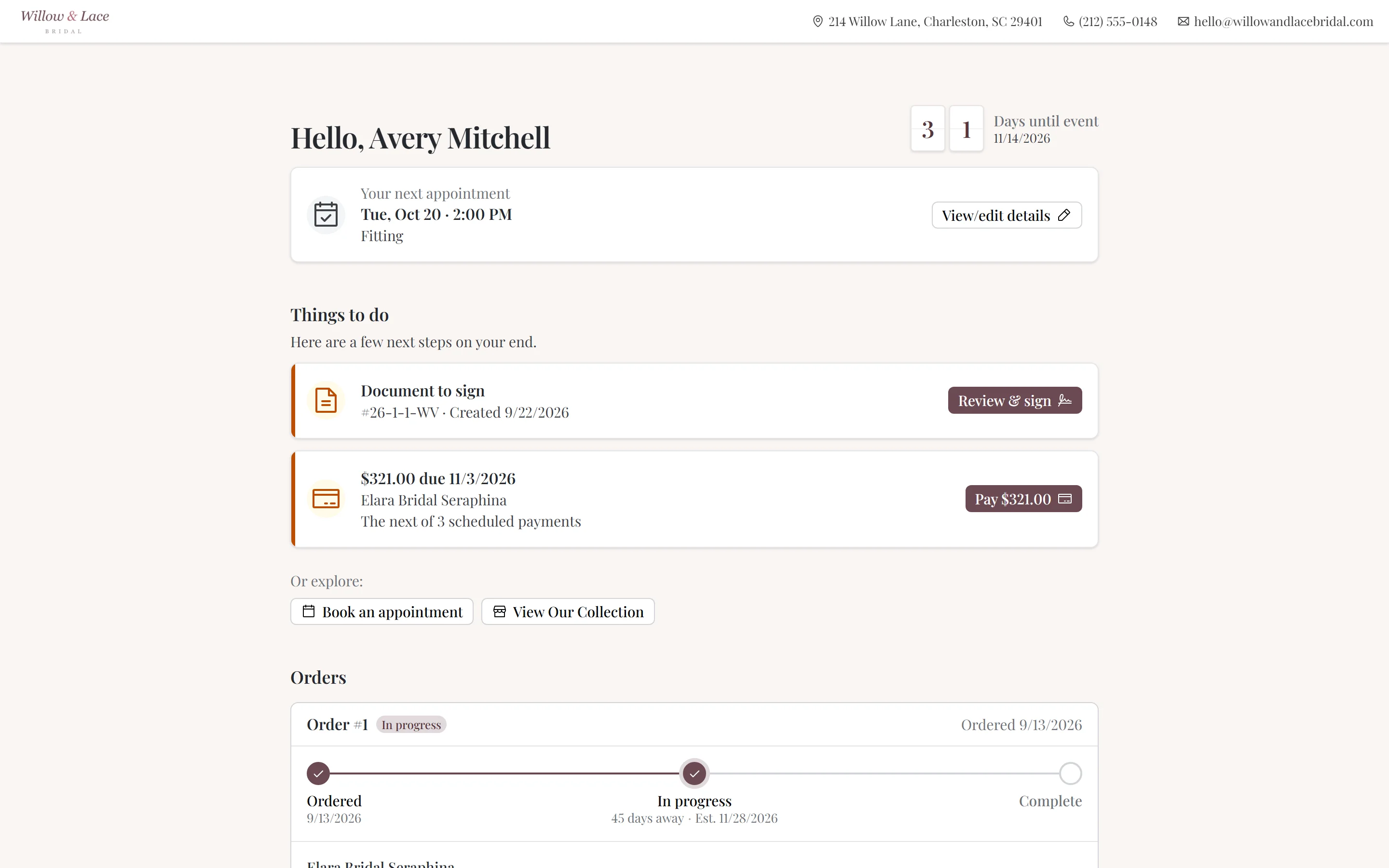
“The individual client portals give our brides the right amount of visibility, while keeping our internal workflow completely seamless.”

Orders & progress
Order progress and expected arrival dates
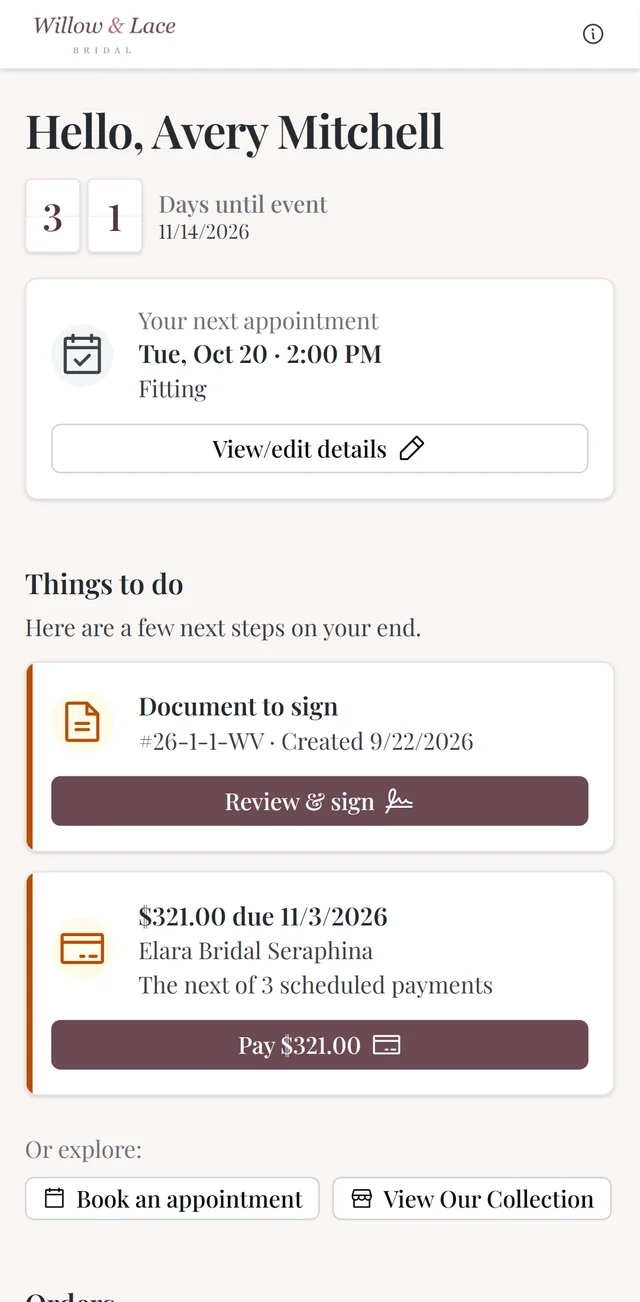
Brides see their orders in the portal — with an order progress tracker that shows where things stand on the way to arrival. The question that used to be a phone call becomes a glance at her phone.
You stay in control of expectations: an arrival buffer you configure adds time to the expected arrival date shown to the bride, so a short delay from the designer doesn’t change the date she was given.
- Orders visible with progress tracking toward arrival
- Configurable arrival buffer keeps expectations realistic
- Payments and receipts listed with card details and receipt numbers
- Appointments visible in the same place
Self-service payments
A clear way to pay the balance
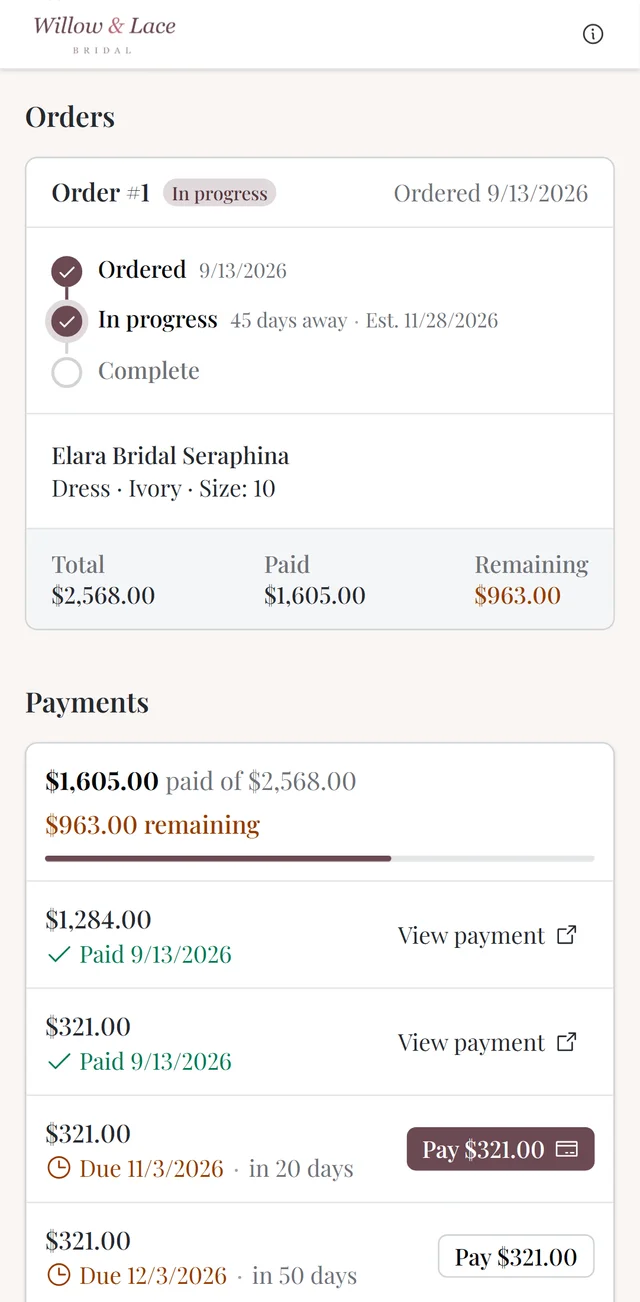
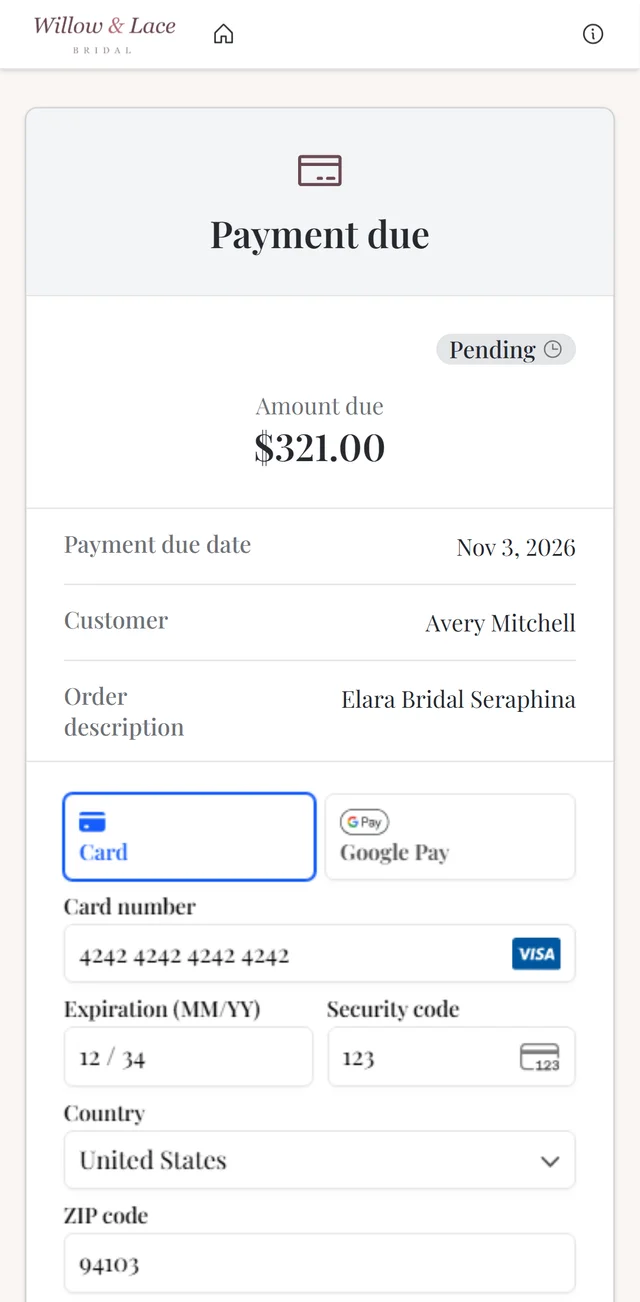
With client-initiated payments enabled, a bride can pay toward her balance directly in the portal — no phone call, no card read out loud over lunch break. Payments land in CloudBridal like any other, recorded against her order with a receipt she can always find again.
Sharing a quote? She can review and accept it in the portal, with any required deposit surfaced right there — turning “let me think about it” into a signed-off sale without another appointment.
- Brides pay toward balances in the portal, on their own schedule
- Payments recorded automatically with receipts they can retrieve anytime
- Shared quotes reviewed and accepted online, deposits included
- You choose which of these are enabled — every capability is a setting
E-signatures
Keep agreements with the order
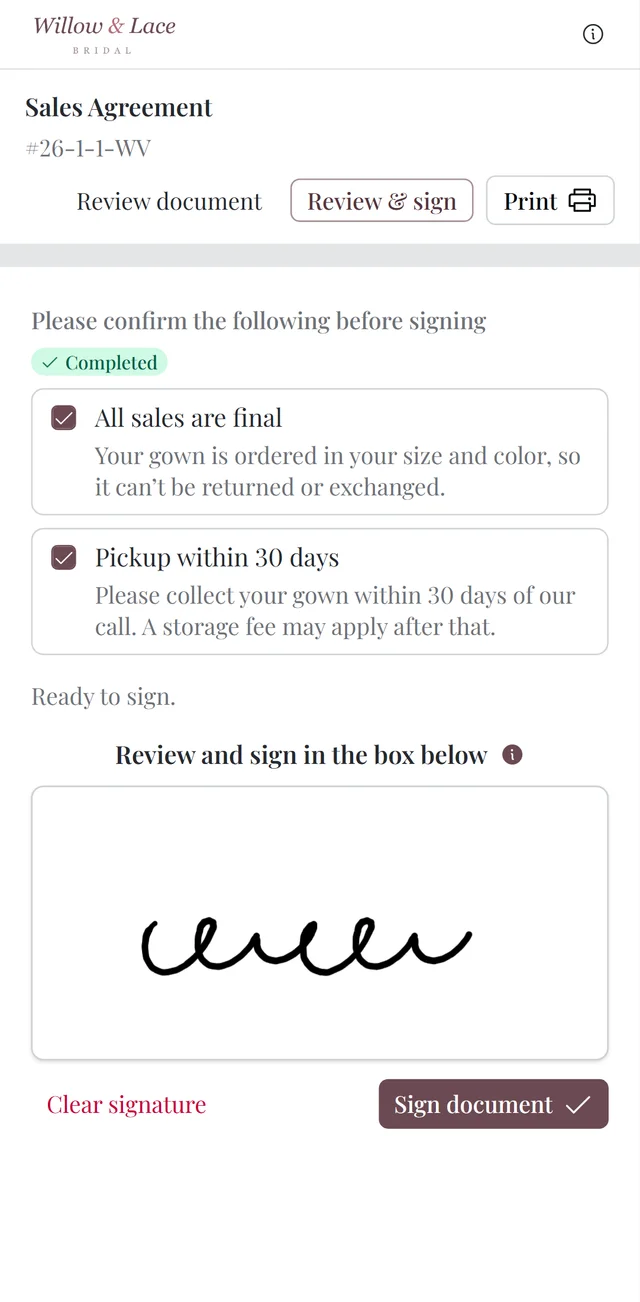
Sales agreements, special-order terms, pickup policies — documents go to the bride for signature and come back signed, with an audit trail. Required acknowledgments make her confirm the terms that matter (all sales final, storage windows) before the signature counts.
Signing works wherever the bride is: from the link on her phone, in the store, or right on the card reader at checkout.
- Documents sent for signature with status tracking and an audit trail
- Required acknowledgments for the terms you want confirmed before signing
- Sign on her phone, in-store, or on the card reader at the counter
Favorites & showcase
Save favorite gowns before the appointment
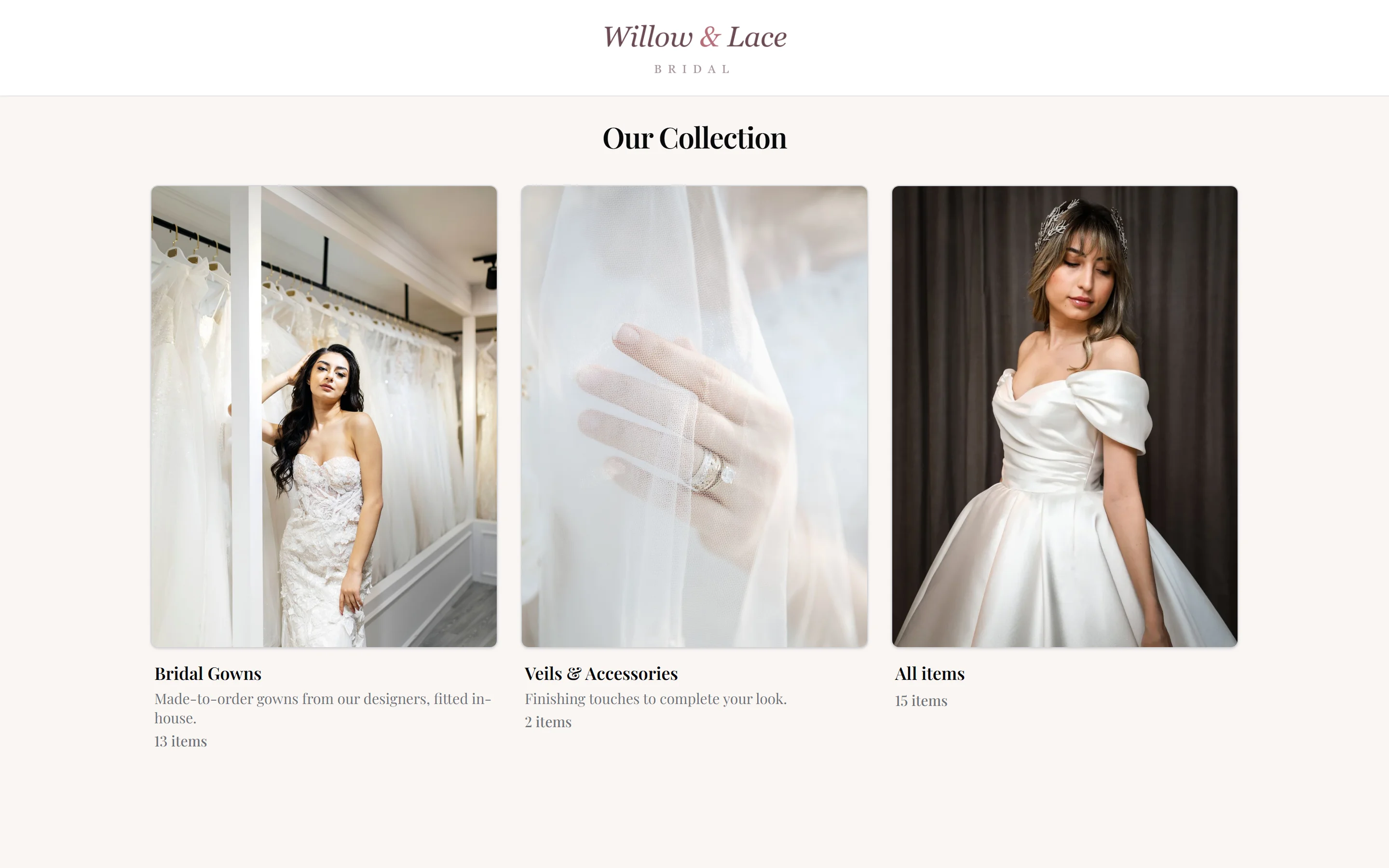
Connect the portal to your public inventory showcase and brides browse your gowns and save favorites ahead of the visit. Favorites picked in-store by your stylist and favorites she submits herself merge into one list on her profile — so the gowns are pulled before she arrives.
- Brides browse your showcase and save favorites from home
- In-store and customer-submitted favorites merge on the profile
- Stylists see her list before the appointment and prep the room
And the rest
Secure, branded, and under your control
Choose the branding and features your brides see, while keeping the internal workspace for your team.
No passwords to forget
Your brand, not ours
Feature-by-feature control
Files and documents
Self-service registration
Easy to hand out
Good to know
Frequently asked questions
Common questions about the client portal in CloudBridal.
How do brides log in to the client portal?
Can brides pay through the portal?
Can brides see where their dress order stands?
Does the portal handle e-signatures?
Can I control what appears in the portal?
Is the client portal an extra add-on?
Can the portal match my boutique’s branding?
Keep exploring
Related features & resources
See how this connects to the rest of CloudBridal.
Payment processing
Client-initiated payments ride the same Stripe integration as your card readers and payment links.
Inventory management
The showcase brides browse for favorites is your real inventory, published on your terms.
All features
The portal is one piece of the connected boutique — see everything else it talks to.
See the portal your brides would use.
Start your 30-day free trial — no credit card required — and send your first portal invitation today.