CloudBridal v26.6.1: Card Surcharging, Showcase Product Pages, and Automated Messaging
We're excited to announce CloudBridal v26.6.1 — a release that lets you pass card processing fees to customers, turns your inventory showcase into a browsable product catalog, and gives you a clear view of the automated messages going out to each customer. Here's what's new:
View complete 2026 release notes →
💳 Credit Card Surcharging
If you process payments through the Stripe integration, you can now add a credit card processing fee (surcharge) so card processing costs are passed on to customers who choose to pay by credit card.
What's New:
- Requires Stripe Payments: Surcharging applies only to payments processed through the Stripe integration. Turn it on and set your percentage in your Stripe settings. Available for stores in the US, Canada, and New Zealand.
- Region-aware rules: In the US and Canada, surcharges apply to credit cards only — debit and prepaid cards are exempt. In New Zealand, they apply to all card types.
- Itemized everywhere: The surcharge is shown clearly at checkout and broken out on receipts, so customers always see exactly what they're paying.
- Works in person too: Card-reader (in-store) payments apply the correct surcharge based on the card used.
- Waive when you want: Staff can waive the surcharge on an individual payment.
- Ready-to-print signage: Download a surcharge sign pre-filled with your percentage directly from the settings page.
Key Benefits:
- Recover credit card processing costs without raising your prices
- Stay transparent with customers through clear, itemized fees
Surcharging rules vary by region and card network. You're responsible for meeting your local notification, signage, and rate-cap requirements — CloudBridal handles the calculation and itemization.
👗 Showcase Product Pages & Customization
Your inventory showcase is now a browsable product catalog, and you can tailor it to your store.
What's New:
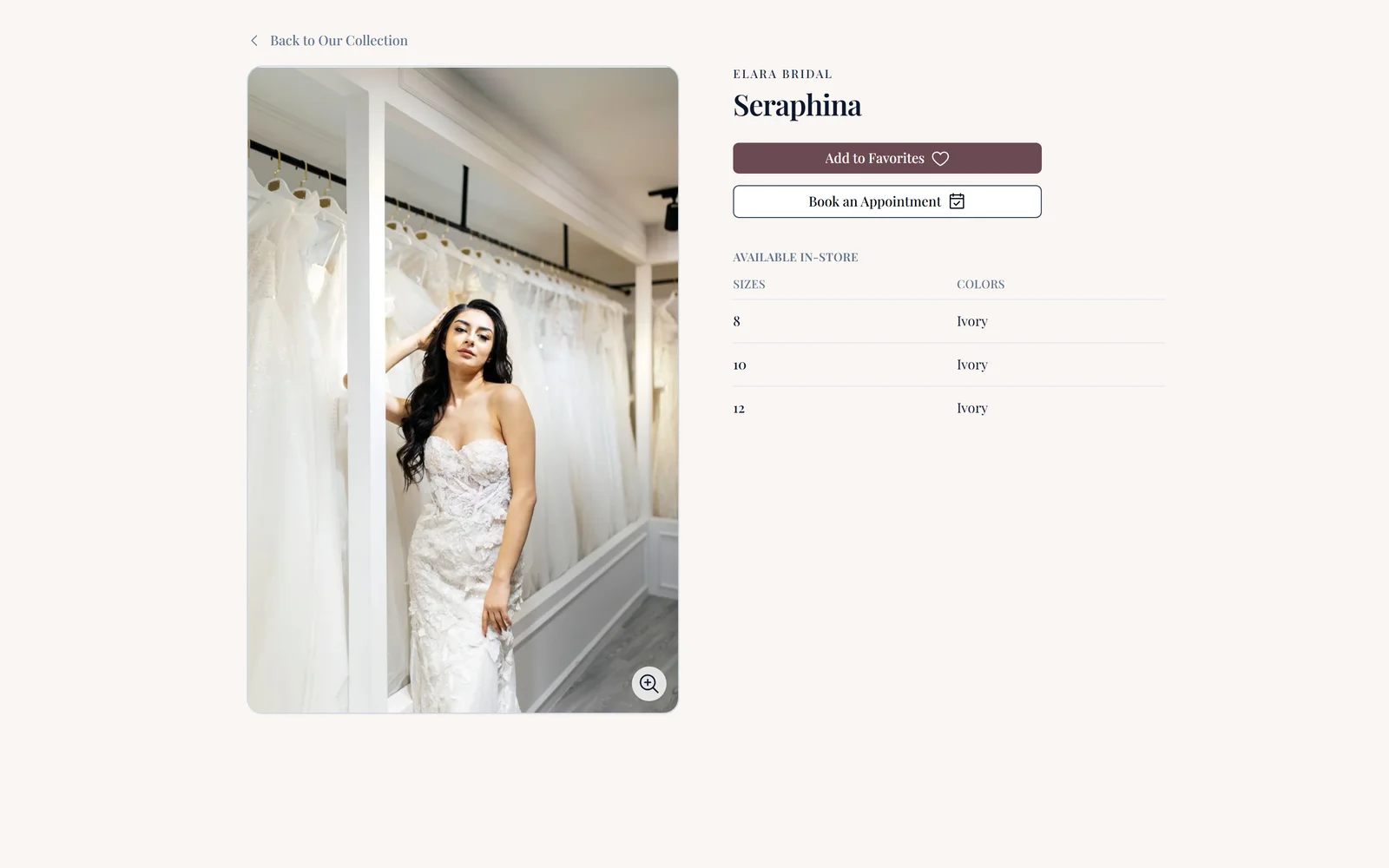
- Product detail pages: Customers can click any item to open a full product page — large image gallery, vendor and style details, a rich description, and pricing when you choose to show it.
- In-stock vs. made-to-order pricing: When an in-stock item is priced below its made-to-order price, both are shown side by side, so customers see the savings on off-the-rack pieces.
- Make it yours: Set a custom showcase name (used across navigation, the customer portal, and page titles), rename the "Made to Order" and "In Stock" price labels, and add a store-wide disclaimer shown on every item.
- Control what shows: Independently choose whether to display made-to-order (retail) prices, in-stock (sale) prices, or both.
- Preview as you go: A live preview in settings shows exactly how items will appear in both the gallery and the new detail view.
Key Benefits:
- Give customers a richer, self-guided way to browse your collection
- Present pricing on your terms, with language that matches your store
📬 Automated Message Timeline & Template Previews
It's now much easier to see exactly what your customers will receive — and when.
What's New:
- Automated message timeline: Each customer's profile now shows the automated emails and texts coming up next, grouped into upcoming, pending, already sent, and won't-send (with the reason why).
- Send early: Don't want to wait for a scheduled message? Send any upcoming email or text now, right from the timeline.
- Preview before you send: Preview exactly how an email or SMS template will look from your Emails & SMS settings before it ever reaches a customer.
- Automated vs. manual at a glance: Templates are now grouped by whether they send automatically (on a trigger) or are sent manually, each with a compact summary of when they fire.
- New personalization fields: Add the assigned sales associate's or seamstress's first name to any template, plus a direct link to the customer's saved favorites.
Key Benefits:
- Know precisely what's going out and step in when you need to
- Build and verify templates with confidence
🗓️ Additional Improvements
- More flexible refunds: Refund to store credit instead of the original card, return tips separately from returned goods, and release order overpayments as store credit.
- Redesigned Cash Flow Summary report: The Cash Flow Summary now reads as a clear waterfall — payments, tips, and surcharges in, refunds out, net at the bottom — with tips and surcharge refunds broken out.
- Turn off online payment per item type: Mark specific item types so their balance is still tracked but no card payment is collected online — useful when payment is handled elsewhere.
- Self-service waitlist removal: Customers can now remove themselves from a waitlist from their request page, and each customer is limited to one active waitlist request to avoid accidental duplicates.
- Inventory item numbers: Each inventory item now has a friendly item number shown on its edit form for easy reference.
- Clearer subscription plan display: The plan picker now names your current tier and clearly labels legacy rates, so there's no confusion about your subscription.