CloudBridal v26.11.1: Appointment Outcomes, My Schedule for Staff, and Phone-Scannable Labels
We're excited to announce CloudBridal v26.11.1, featuring a recorded outcome for every appointment, a schedule each staff member can see for themselves, and labels your phone can scan. Here's what's new:
View complete 2026 release notes →
✅ Appointment Outcomes
Until now you could mark a visit Incomplete, and every other past appointment was assumed to have gone ahead. Every appointment now ends with an outcome, so you can see which visits happened, which didn't, and why a customer didn't buy.
What's New:
- Record outcome: A Record outcome button on the appointment and on Home marks a visit Completed or No-show. It replaces Mark incomplete, and appointments you marked Incomplete now read No-show.
- Completed for you: A sale credited to the visit on its day marks it Completed. A visit nobody marks counts as Completed at 6 AM the next morning.
- Why they didn't buy: When a completed visit didn't sell, pick up to two reasons. They show in the conversion report.
- Act on the outcome: Automated emails, texts and tasks can now start from an appointment's outcome, such as a thank-you after a completed visit.
- No-show fees on paid appointments: A no-show and late-cancellation fee used to be available only on Reserve with a card types. Types that charge at booking can now have one too, on top of their price, and customers agree to it when they book. Turn it on per type in Appointment settings. Requires Stripe.
- Charge it or not: Marking a no-show or canceling late now asks whether to charge the fee, for these types and for Reserve with a card types.
Key Benefits:
- Know your real show rate and why visits don't convert
- Charge for the appointment and still have a no-show fee the customer agreed to, charged only when you decide
👥 My Schedule and Open Shifts
Staff can see their own shifts and hours, and pick up shifts you need covered.
What's New:
- Upcoming and Past: Each staff member sees their next four weeks of shifts and the hours they've worked.
- Open shifts: Post a shift anyone can take, and staff claim it with Take shift.
- No stranded bookings: Removing a shift or giving someone a day off lists the appointments still assigned to that person.
- Print the week: The schedule now prints the week as well as the month, as a week-by-week roster.
Key Benefits:
- Fewer "when am I working?" questions
- Fill gaps in the schedule without a round of texts
Note: Staff scheduling is on the Core plan and up. Staff see their own schedule once their login is linked to their staff member.
🏷️ Labels You Can Scan with a Phone
Labels already carried a QR code for your barcode scanner. New labels carry one a phone camera can read too, and the whole shop now prints from one label layout.
What's New:
- Scan with a phone: Staff signed in on a phone scan a new label to open the item in their own store. Choose what customers see when they scan, under Barcode scanner in General settings.
- One layout for the shop: Label positions used to be saved by each staff member in the print window. The shop now has one label layout, set in General settings under Devices & printing, with a preview that matches the paper.
- More options: Check your layout with DYMO, print a test label, print labels sideways, and choose from more DYMO sizes.
- Your logo: Print your logo on labels, and add a black-and-white version for labels and receipts in Branding settings.
- Labels follow transfers: A label on transferred stock now opens the item in the store that received it.
Key Benefits:
- Look up any item on the floor without walking to the computer
- Every label in the shop looks the same, whoever prints it
Note: Labels you've already printed keep working with your barcode scanner. Reprint a label only if you want phones to read it. If your staff had saved their own label positions, we've set up your shop's layout from them, so check it in settings before you print. Labels are on the Core plan and up.
🔗 Finish-Your-Booking Links
Booked someone by phone, or offering a time? Send the customer a link to fill in what's missing and pay.
What's New:
- Send a link: On a paid appointment, choose Send a link under Card details, then send it by email or text.
- The time is held: The appointment stays held for up to 48 hours, or until it starts if that's sooner.
- Unfinished bookings: The Abandoned bookings list is now Unfinished bookings. Along with customers who stopped at payment, it lists who has a link and whose card wasn't taken, each with a button to send the link.
- Automatic follow-up: Optionally email customers who stopped an online booking at payment a link to finish it. Turn on Email customers who don't finish booking online in Appointment settings.
Key Benefits:
- Turn phone bookings into paid appointments without taking card details over the phone
- Win back customers who left at the payment step
Note: Paid appointments require Stripe.
📊 Bookkeeping Summary Report (Beta)
A new report your bookkeeper can post from, for any date range from 2026 on.
Key Metrics:
- Money received by payment method
- Sales, counted when orders are completed
- Deposits held, customer credit and money owed, rolled forward
- Optional account codes, so each line matches your chart of accounts
How to Access:
- Reports → Bookkeeping summary. Basic plan and up.
🌐 Coming Soon: Your Website, Run from CloudBridal
We're starting to open websites run from CloudBridal to shops, a few at a time. Your site is built from what's already in CloudBridal, so your dresses, booking and forms stay up to date without a second system to keep up.
- Built from your shop: Your starter site uses your shop details, dresses and appointment types.
- Eight looks to start from: Pick a template, then change the words, photos and colors yourself. Switch templates any time without losing a word, or ask us about a bespoke design.
- Nothing public until you publish: Preview every page before anyone sees it.
See it as your shop and ask for early access →
🗓️ Additional Improvements
Policies and Forms Customers Sign:
- Create Policy or form templates (store policies, appointment policies, photo releases) in Docs & agreements, and have any customer sign one from their profile, with or without an order. Core plan and up.
Shipped and Ready for Pickup:
- Turn on two new order statuses in Order settings. An order moves to Shipped when its purchase order is marked shipped, and customers see Ready for pickup in the client portal.
Customer Credit on Quotes:
- When you share quotes with a customer who has credit, choose how much each quote takes. The customer sees it on the quote, and accepting applies it and lowers the deposit. Ultimate plan.
- An appointment fee counts as that credit when its type records the charge as Credit toward a purchase. That setting, Recorded on the customer's profile until now, is called What the charge counts as, in Appointment settings.
Payment Reminders by Text:
- Payment reminders can now go out by text as well as email, in your own words. Set them up in Communications.
Stripe:
- The Stripe Reader T600 is now supported. Set it up in Payments settings.
- The reader shows customers their itemized order while you get a signature ready, and what they're paying today while you get a payment ready.
- With Stripe connected, the payment dialog now first asks whether to charge a card with Stripe or record a payment, so a recorded card payment is never mistaken for a charge.
Orders:
- Set how many days after the event rentals are due back in Order settings. Ultimate plan.
- Smart order helpers can add a rush fee automatically when an order is sold close to the wedding date. Ultimate plan.
- Set a payment plan by the date of its last payment, and the earlier payments are counted back from it.
- Special orders show which colors you have in stock, and in which sizes.
Appointments and Customers:
- Invite a customer to pre-register from their profile, as well as from an appointment, or send their personal link in any email or text with a new smart field. Ultimate plan.
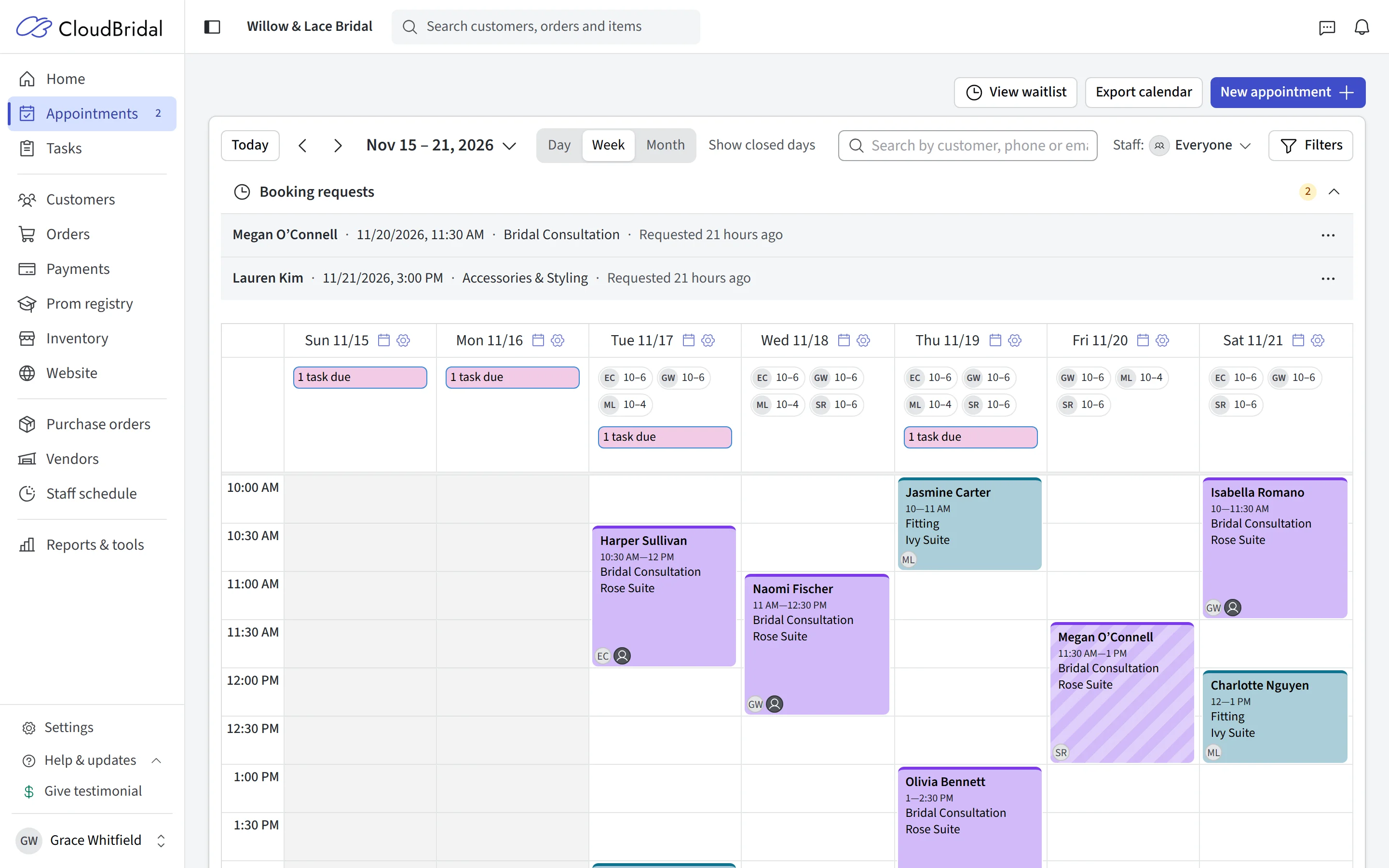
- Keep canceled and declined appointments on your calendar with Always show canceled and declined appointments in Filters.
- Click the waitlist count on the Day view to open that day's waitlist.
- Search the message center by customer name, phone or email.
- Ask customers to opt in to text updates on the booking form, in Appointment settings. Customers who don't opt in get emails instead.
- A new Delete customers permission in Roles lets staff delete customers without being admins.
Your Shop's Details:
- Add your opening hours and social links in General settings. Opening hours show in the client portal and on booking confirmations, and social links in the client portal.
- Add your address, phone and social links to the bottom of your emails, under the email signature in Email design in Communications.
- PDFs print on A4 paper outside the US and Canada, and emails and texts write dates the way your country does.
Inventory and Purchasing:
- The Inventory value report lists which stock has no cost recorded, with a link to set costs.
- Get a copy of every purchase order you email to a vendor with Get a copy of emailed purchase orders in Vendor settings.
- Search online finds photos on the designer's own website for many more designers. Ultimate plan.
- If your prices include GST or VAT, wholesale prices and stock costs are before tax and labeled that way. Admins can take GST out of wholesale prices entered with it using Remove GST… in Bulk price update.
Showcase:
- The showcase has a new layout for customers: search, Filters and Sort on one row, every filter in one panel, and departments as tabs.
- Set how many items each customer can favorite, include items not in stock in a collection, and let customers filter by size, in Showcase settings.
Sales Tax by Payment:
- Tax is now counted in the month money reaches an order or leaves it, so a month you've filed stays the same.
Terms of Service:
- Everyone is asked once to accept the updated Terms of Service.
🔌 For Developers: The CloudBridal API
- Tasks and staff: Read, create and update tasks, and list your staff, with the new
tasks:read,tasks:writeandstaff:readscopes. - Appointment outcomes: Appointments carry
resolvedAt, and a newappointment.resolvedwebhook fires when a visit's outcome is recorded. - Order statuses: Orders can be Shipped or ReadyForPickup, with their dates.
- API reference: You now sign in to read the API reference.