Bridal POS
A point of sale for the whole order, from deposit to pickup.
A bridal sale isn’t one transaction. CloudBridal keeps the deposit, the special order, the alterations, and every payment on one order, and takes cards at the counter with a Stripe reader.
30-day free trial · No credit card required · Compare plans
Built for bridal
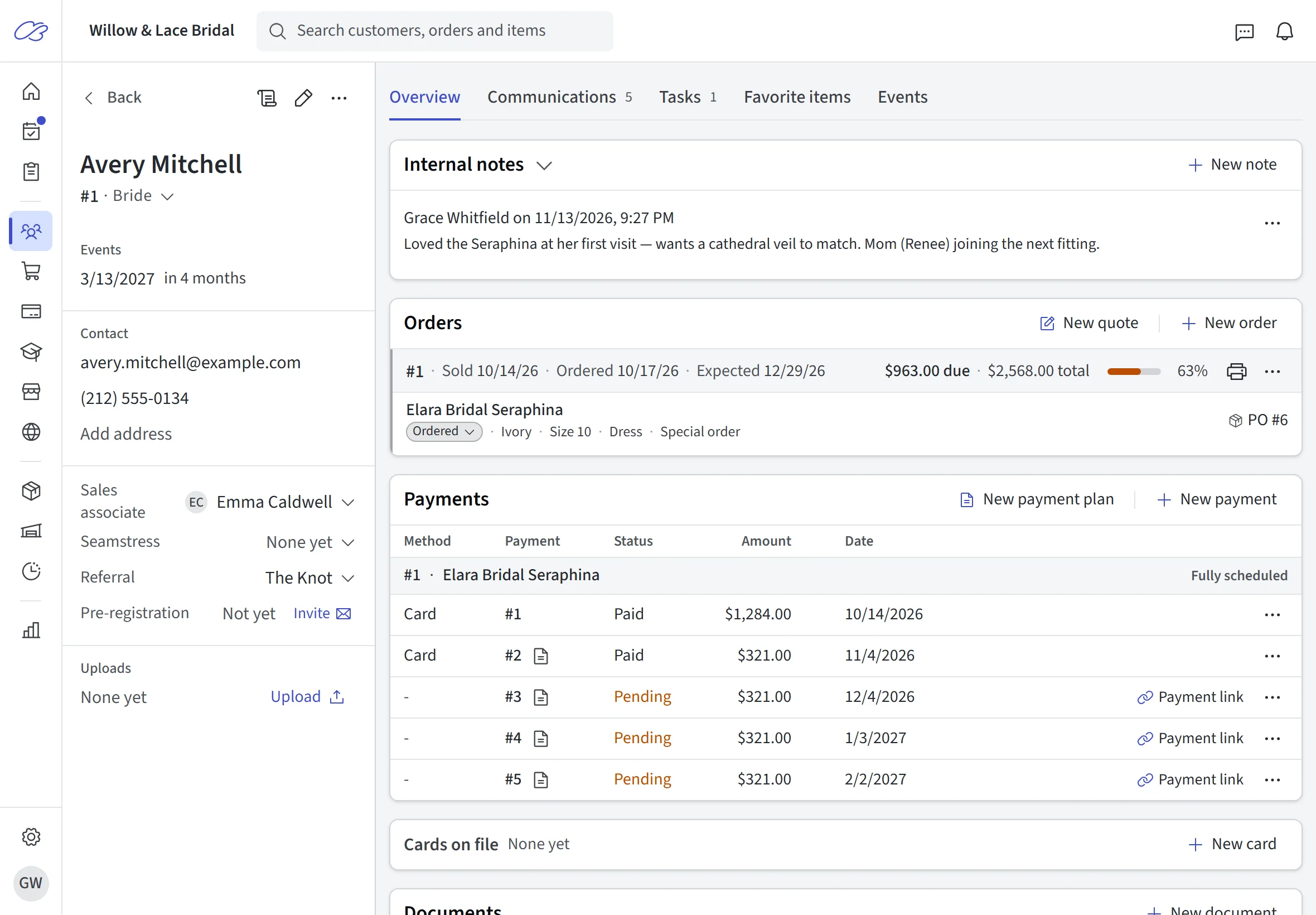
Most of your sales take months to finish
A retail POS rings up a sale and forgets it. A gown sale starts with a deposit, waits months on the designer, picks up alterations along the way, and only finishes at pickup.
In CloudBridal the order holds all of it, so anyone at the counter can see what was sold, what’s been paid, and what’s still due.
- The balance due on every order and customer profile
- Deposits with one click: pay in full, pay half, or a percentage
- Alterations on the same ticket as the gown, as a flat fee, an itemized menu, or items
- Any number of payments on an order, each with its own method
Deposits and payment plans
Split the balance before the wedding
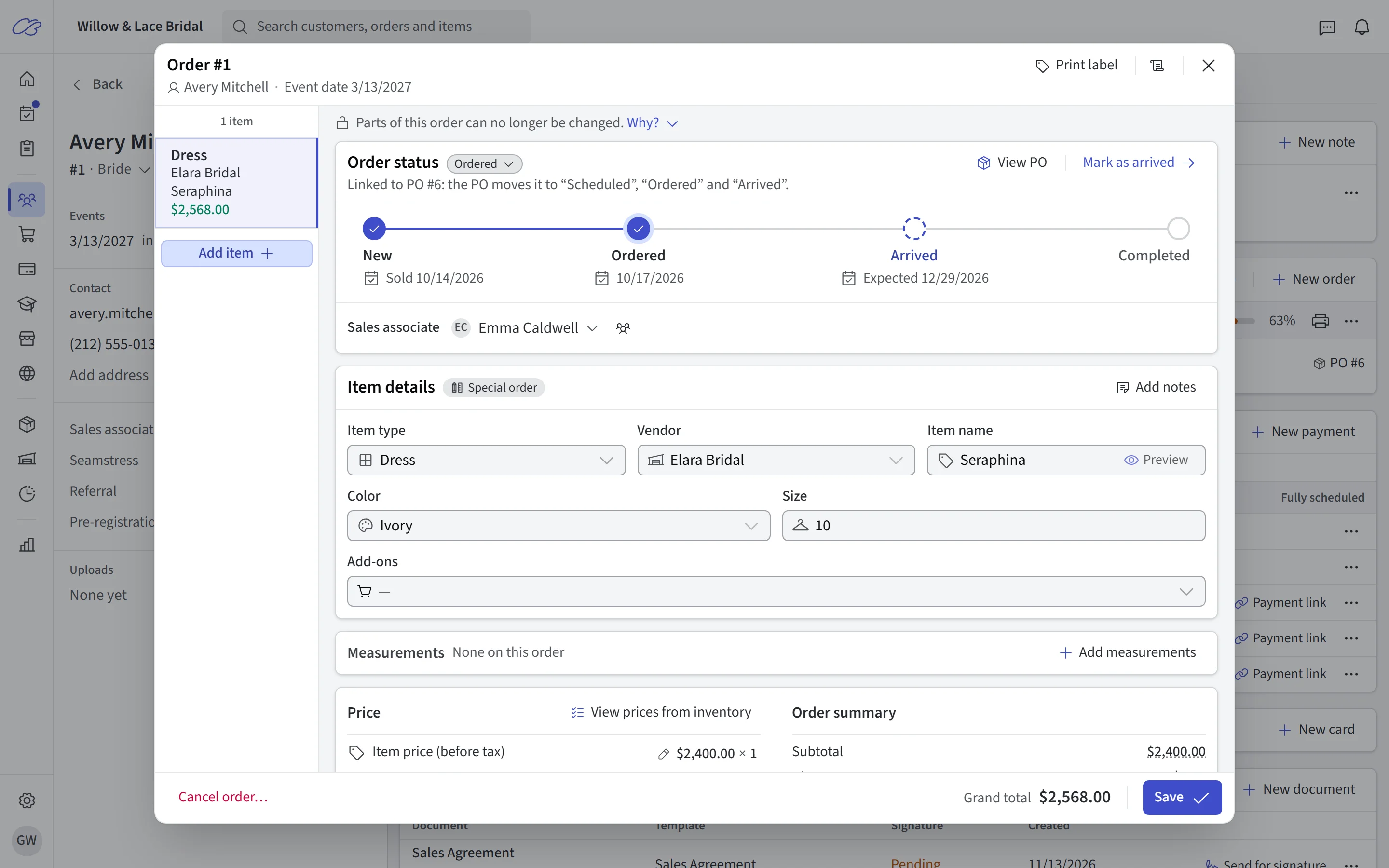
Take the deposit at the counter and schedule the rest in installments, with reminders before each one is due.
With integrated Stripe payments, each installment can be charged to the customer’s saved card on its due date, so nobody has to chase it.
- A deposit plus scheduled installments on any order
- Automatic charges to a saved card on each due date, with Stripe
- Reminders before each installment is due
- Layaway from stock, with the item held for the customer
Payment plans are included on the Core and Ultimate plans.
Special orders
Follow every special order to the designer and back
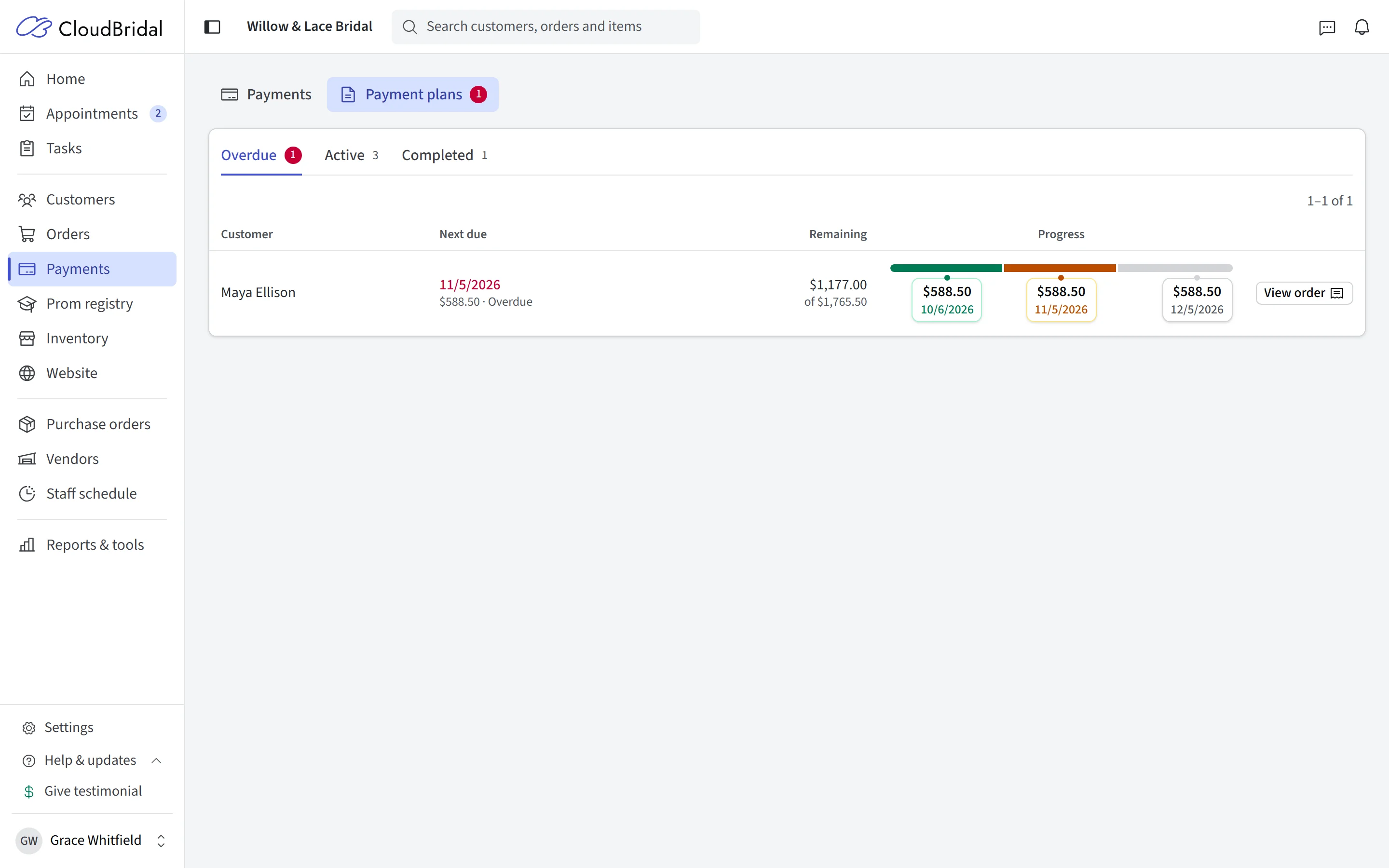
Record the designer, color, size, and measurements when you write up the sale. Link the order to a purchase order, and it moves through Scheduled, Ordered, and Arrived on its own as the purchase order does.
- Designer, color, size, and measurements on the order
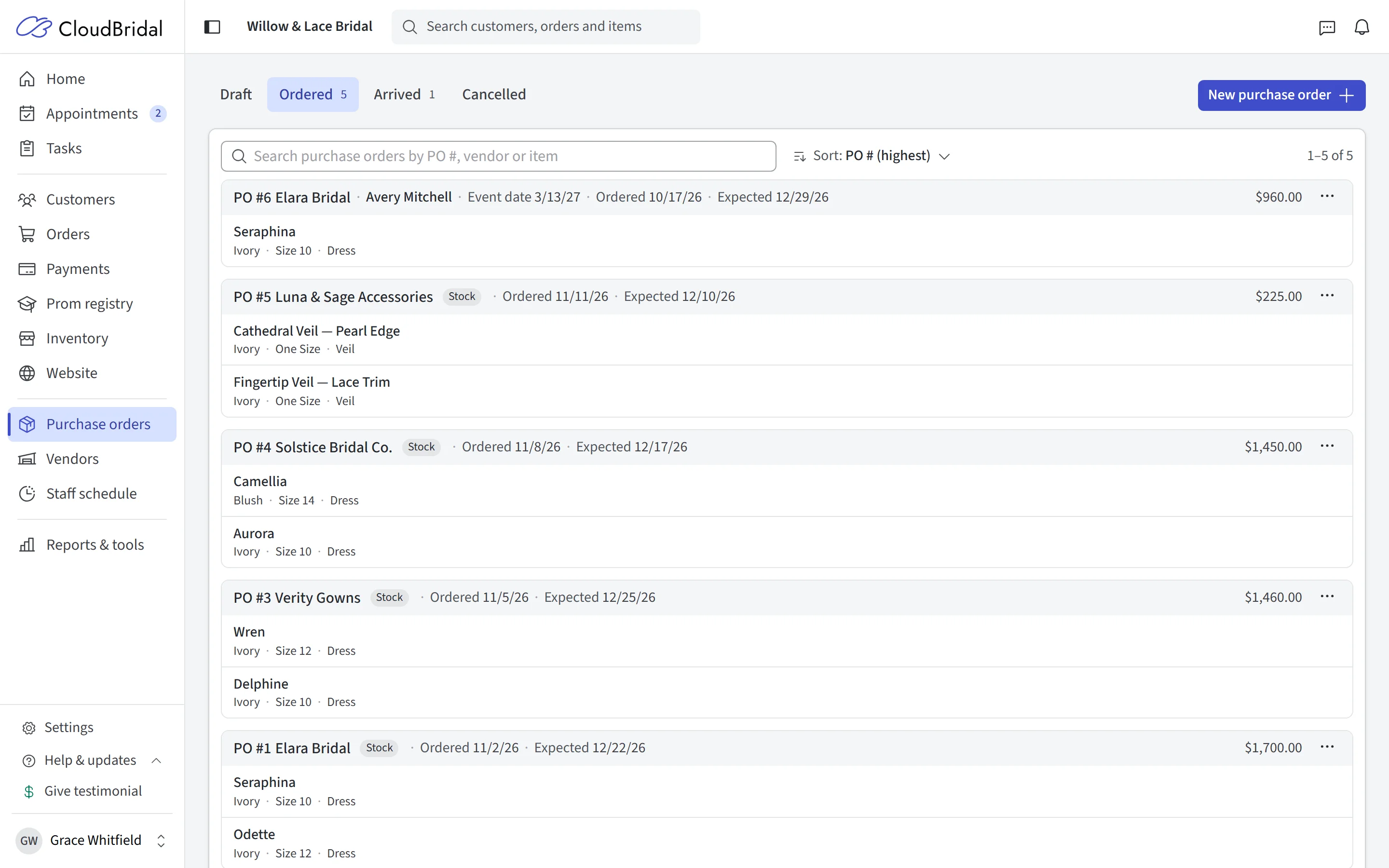
- Purchase orders that carry the linked orders with them
- Expected arrival dates, so you know what’s due in and for whom
Purchase orders are included on the Core and Ultimate plans.
At the counter and online
Take payment however the customer wants to pay
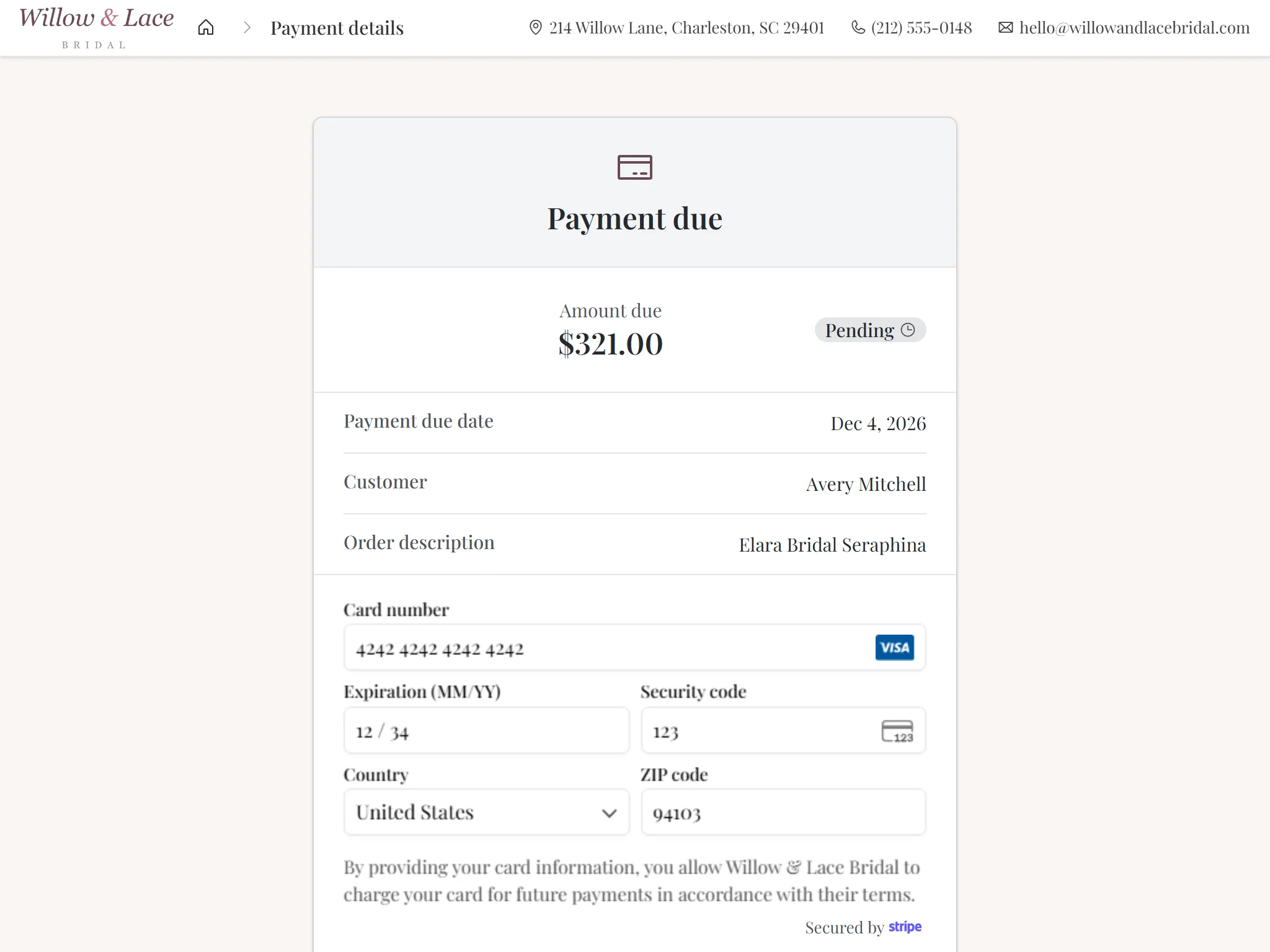
Take the card on a Stripe reader at the counter, and the payment lands on the order. Already have a card machine? Record cash, checks, and payments from your own processor with your own payment methods.
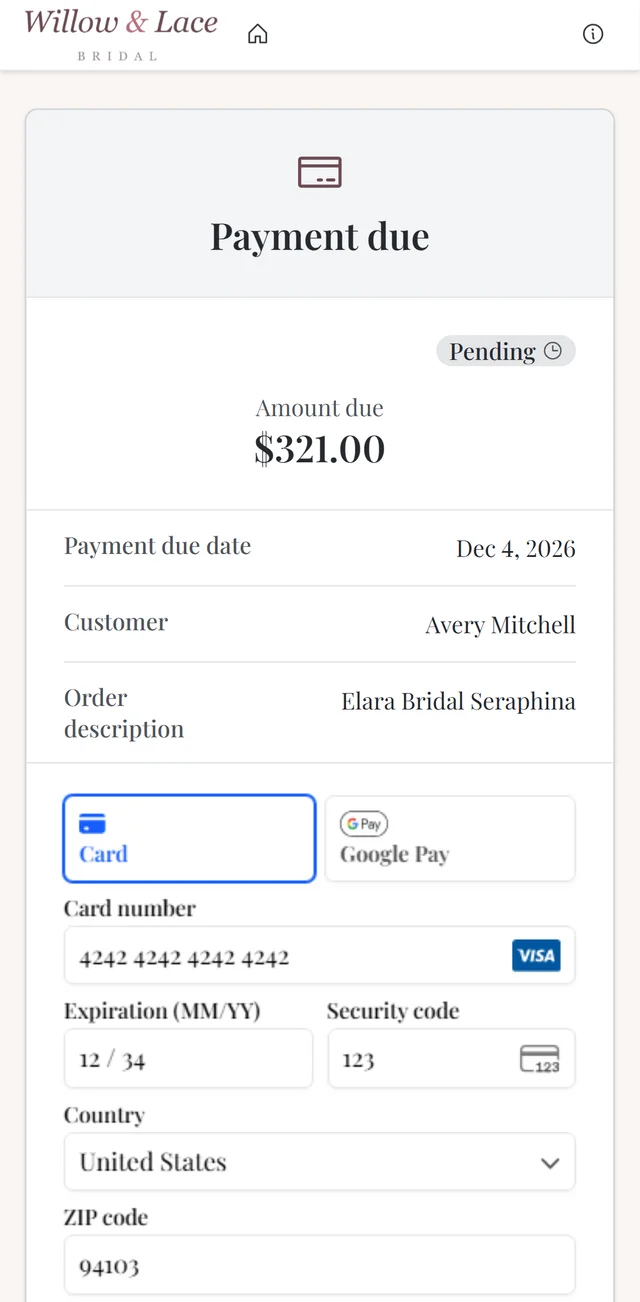
Customers who aren’t in the shop can pay a balance from a payment link or their client portal.
- Stripe readers: S710, T600, and Verifone V660p, with tipping on the reader
- A card surcharge you set, itemized on the receipt
- Receipts by email, text, PDF, or an 80mm thermal printer, with your logo
- The order agreement signed on the reader or on your screen
E-signatures are included on the Ultimate plan.
Stock and labels
Sell from the rack and keep the count right
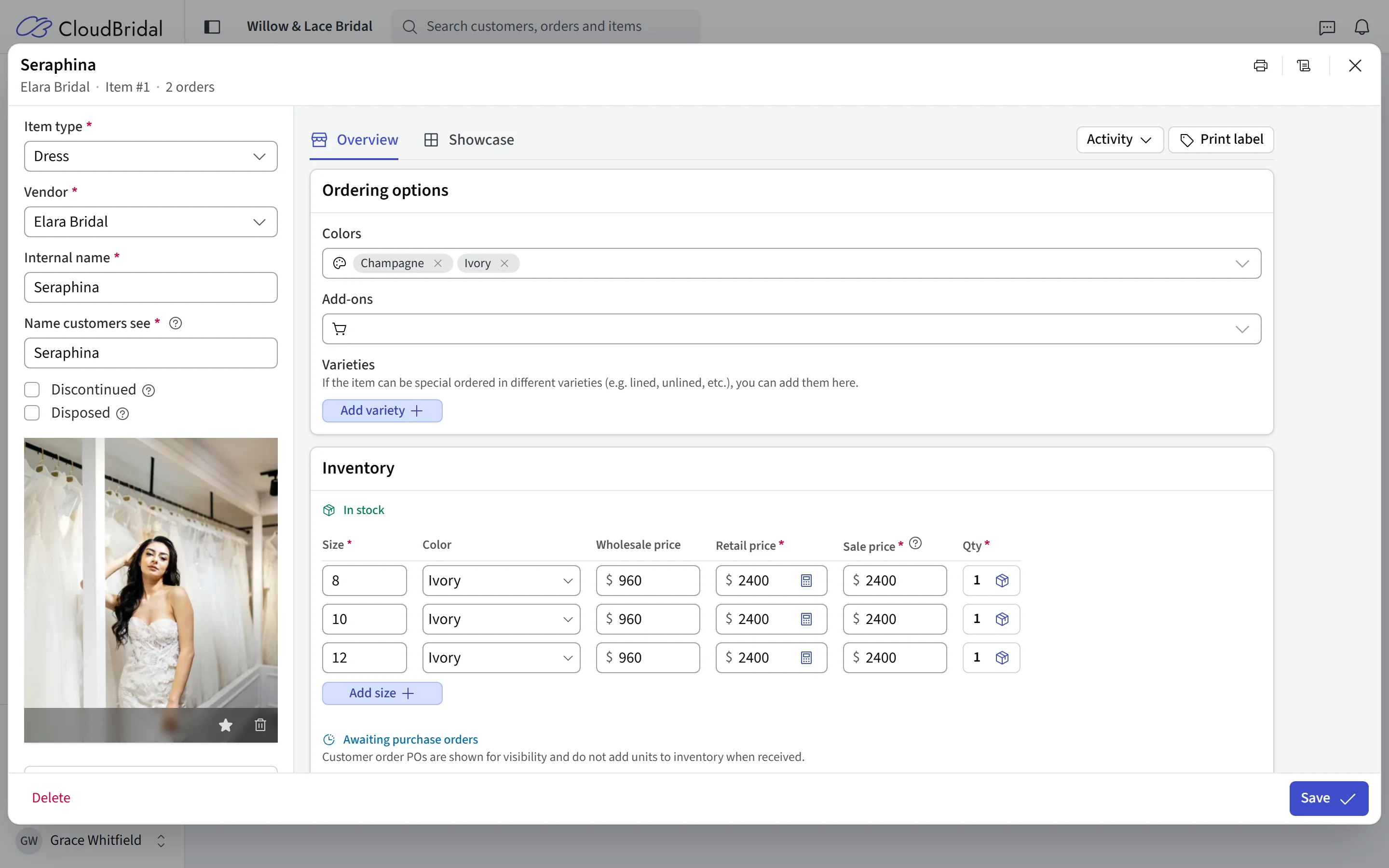
Selling a gown off the rack lowers its stock count on its own. If the sale is returned or cancelled, the item can go straight back to stock.
Print price tags with a QR code on a DYMO label printer, and scan a tag to open the item or add it to a new order.
- Stock that updates when an item sells or comes back
- Price tags with QR codes on DYMO LabelWriter printers
- Scan a tag to add the item to an order
And the rest
Everything else the register needs
Refunds, sales tax, sales credit, and the books, on the same orders.
Refunds and store credit
Sales credit by associate
Sales tax that fits your state
Payment links
Rentals
QuickBooks Online sync
Good to know
Frequently asked questions
Common questions about the CloudBridal point of sale.
Which card readers work with CloudBridal?
Can I keep my own card processor?
What does card processing cost?
Does CloudBridal handle layaway and payment plans?
Can I pass card fees on to customers?
Can customers pay their balance online?
Does it print receipts and price tags?
Keep exploring
Related features & resources
See how this connects to the rest of CloudBridal.
Payment processing
Card readers, payment links, saved cards, and payment plans, and how to set up Stripe.
Inventory management
Stock, special orders, and purchase orders, with every item tied to the orders it’s on.
Alterations
Alterations priced, scheduled, and tracked on the same order as the gown.
Run a bridal sale from deposit to pickup.
Start your 30-day free trial, no credit card required, and ring up a sale from both sides of the counter.